
Hyundai Elantra (CN7): Cooling System / Cooling Fan
Components and components location
| Components |
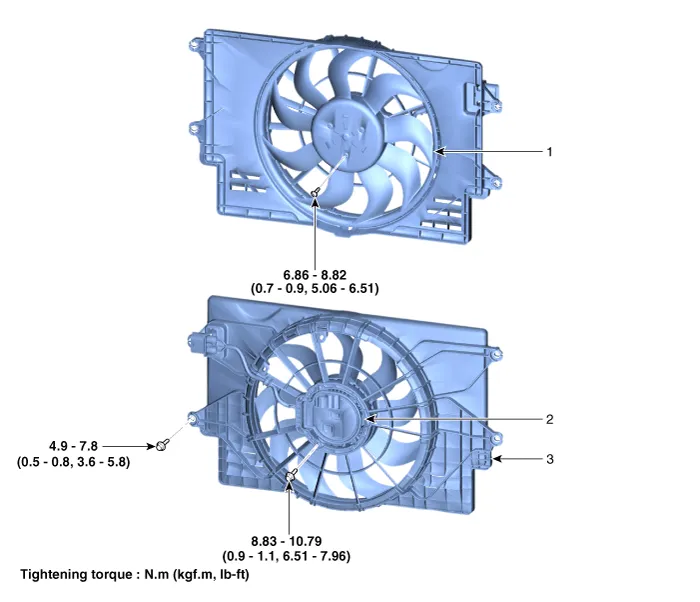
| 1. Cooling fan 2. Fan motor | 3. Cooling fan shroud |
Repair procedures
| Removal and Installation |
| 1. | Disconnect the negative battery terminal. |
| 2. | Remove the air duct and air cleaner assembly. (Refer to Intake and Exhaust System - "Air Cleaner") |
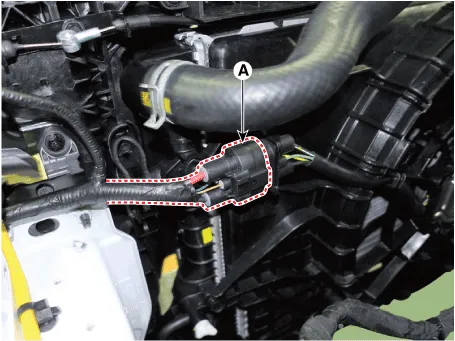
| 3. | Disconnect the cooling fan connector (A).
|
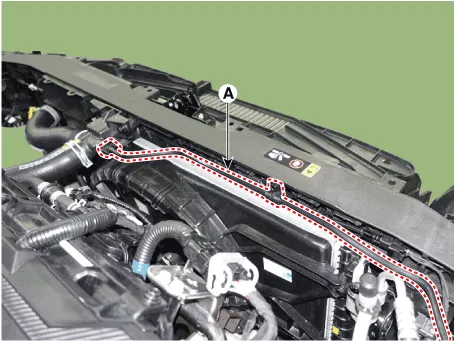
| 4. | Disconnect the degassing hose (A) and hose fastener.
|
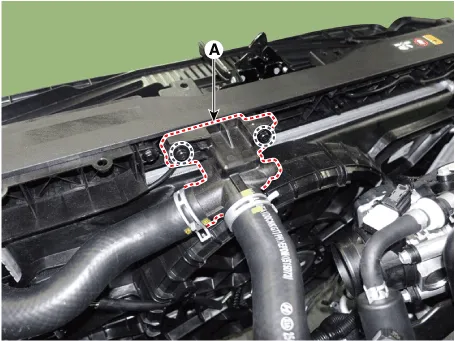
| 5. | Remove the filler neck assembly (A).
|
| 6. | Remove the cooling fan (A) from the radiator.
|

| 7. | Install in the reverse order of removal. |
| Disassembly |
| 1. | Remove the cooling fan (A) from the cooling fan assembly.
|

| 2. | Remove the fan motor (A) from the cooling fan shroud.
|
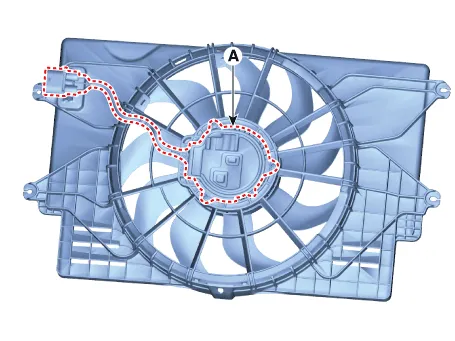
| 3. | Install in the reverse order of removal. |
| Inspection |
| 1. | Turn ignition switch "OFF" and connect the diagnostic tool to the Data Link Connector. |
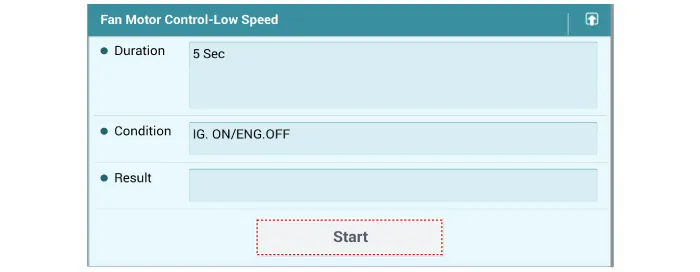
| 2. | With the gear shift in P (Park) position and ignistion switch "ON" (LED of the Power button illuminates in Red), select the "force drive" function. |
| 3. | Force drive the cooling fan motor.
|

Repair procedures Removal and Installation1.Drain the coolant.(Refer to Cooling System - "Coolant")2.Disconnect the degassing hose (A) and coolant reservoir tank hose (B).
Components and components location Components1. Radiator2. Radiator upper hose3. Radiator lower hose4. Filler neck assembly 5. Radiator upper mounting bracket6.
Other information:
Hyundai Elantra (CN7) 2021-2026 Service Manual: Blower Resistor (Manual)
Repair procedures Inspection1.Measure the resistance between the terminals.2.The measured resistance is not within specification, the blower resistor must be replaced. (After removing the resistor)Replacement1.Disconnect the negative (-) battery terminal.
Hyundai Elantra (CN7) 2021-2026 Service Manual: Climate Control Air Filter
Description and operation Description The climate control air filter is located in the blower unit. It eliminates foreign materials and odor. The particle filter performs a role as an odor filter as well as a conventional dust filter to ensure comfortable interior environment.
Categories
- Manuals Home
- Hyundai Elantra Owners Manual
- Hyundai Elantra Service Manual
- Driver assistance system
- Instrument Panel Overview
- Front Bumper
- New on site
- Most important about car
