
Hyundai Elantra (CN7): Driver Attention Warning (DAW) / Function malfunction and limitations
Function malfunction
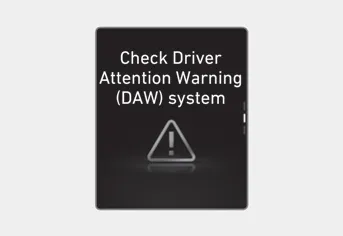
When Driver Attention Warning is not working properly, the ‘Check Driver Attention Warning (DAW) system’ warning message will appear on the cluster. If this occurs, we recommend that the system be inspected by an authorized HYUNDAI dealer.
Limitations of the system
Driver Attention Warning may not work properly in the following situations:
- The vehicle is driven violently
- The vehicle intentionally crosses over lanes frequently
- The vehicle is controlled by Driver Assistance system, such as Lane Keeping Assist
Leading Vehicle Departure Alert feature
• When the vehicle cuts in
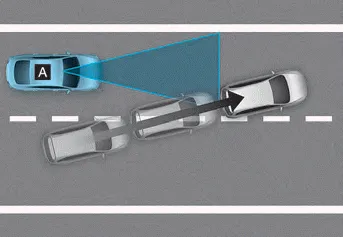
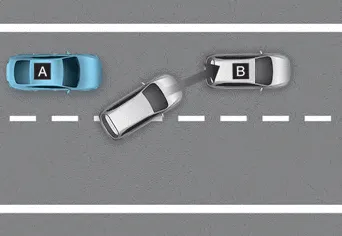
[A] : Your vehicle, [B] : Front vehicle
If a vehicle cuts in front of your vehicle, Leading Departure Alert may not operate properly.
• When the vehicle ahead sharply steers
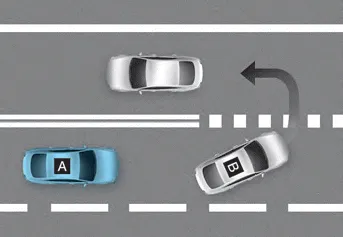
[A] : Your vehicle, [B] : Front vehicle
If the vehicle in front makes a sharp turn, such as to turn left or right or make a U-turn, etc., Leading Vehicle Departure Alert may not operate properly.
• When the vehicle ahead abruptly departures
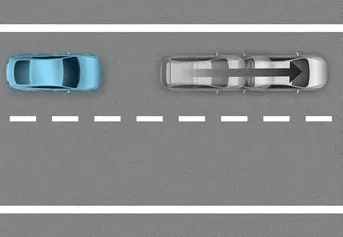
If the vehicle in front abruptly departures, Leading Vehicle Departure Alert may not operate properly.
• When a pedestrian or bicycle is between you and the vehicle ahead

If there is a pedestrian(s) or bicycle(s) in between you and the vehicle in front, Leading Vehicle Departure Alert may not operate properly.
• When in a parking lot
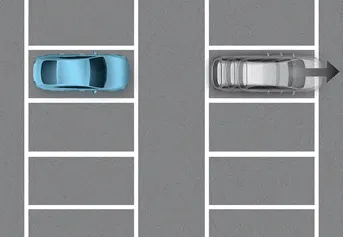
If a vehicle parked in front drives away from you, Leading Vehicle Departure Alert may alert you that the parked vehicle is driving away.
• When driving at a tollgate or intersection, etc.
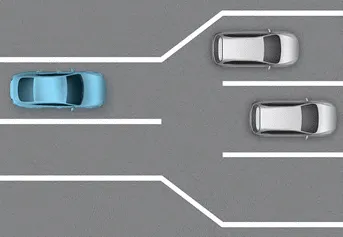
If you pass a tollgate or intersection with lots of vehicles or you drive where lanes are merged or divided frequently, Leading Vehicle Departure Alert may not operate properly.
CAUTION
For more details on the precautions of the front view camera, refer to “Forward Collision-Avoidance Assist (FCA)� section in chapter 7.
Basic function System display and warning The basic function of Driver Attention Warning is to inform the driver of their ‘Attention Level’ and to warn the driver to ‘Consider taking a break’.
Other information:
Hyundai Elantra (CN7) 2021-2026 Service Manual: Heater Unit
Components and components location Component Location1. Heater unit assemblyCompoents1. Heater unit assembly2. Heater tube cover3. Heater core assembly4. Mode control actuator [LH]5. Dummy PTC6. Temperature control actuator [LH]7. Heater case [LH]8.
Hyundai Elantra (CN7) 2021-2026 Service Manual: Intake Actuator
Description and operation DescriptionThe intake actuator is located at the blower unit. It regulates the intake door by a signal from the control unit. Pressing the intake selection switch will shift between recirculation and fresh air modes. Components and components location Components Location1.
Categories
- Manuals Home
- Hyundai Elantra Owners Manual
- Hyundai Elantra Service Manual
- General Tightening Torque Table. General information
- Brake bleeding procedures
- Vehicle Information
- New on site
- Most important about car
