
Hyundai Elantra (CN7): Emergency Call System / Emergency Call (eCall) Antenna
Schematic diagrams
| Components |
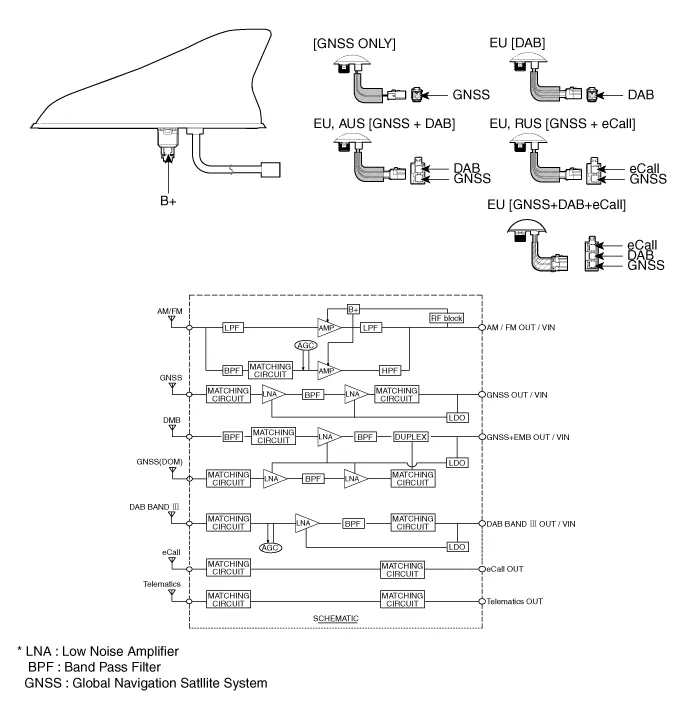
Repair procedures
| Removal |
| 1. | Disconnect the negative (-) battery terminal. |
| 2. | Remove the roof trim. (Refer to Body - "Roof Trim Assembly") |
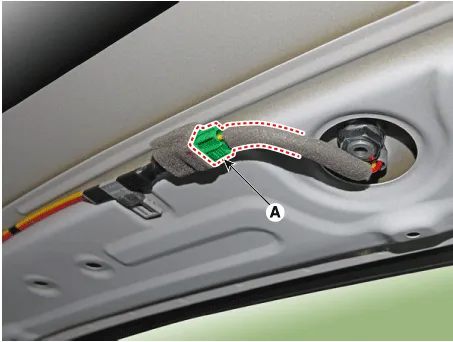
| 3. | Disconnect the roof antenna connector (A).
|
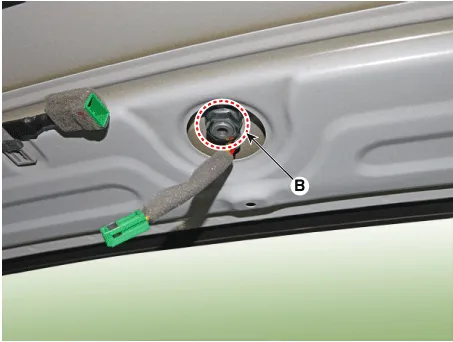
| 4. | Remove the roof antenna (A) after loosening a nut (B).
|
| 1. | Disconnect the negative (-) battery terminal. |
| 2. | Remove the main crash pad assembly. (Refer to Body - "Main Crash Pad Assembly") |
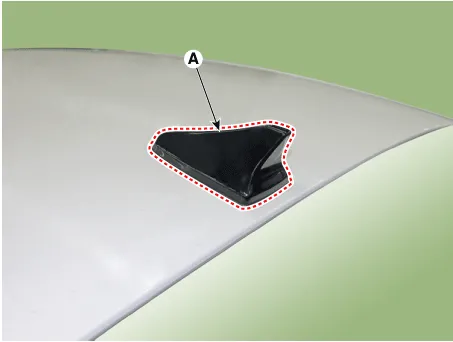
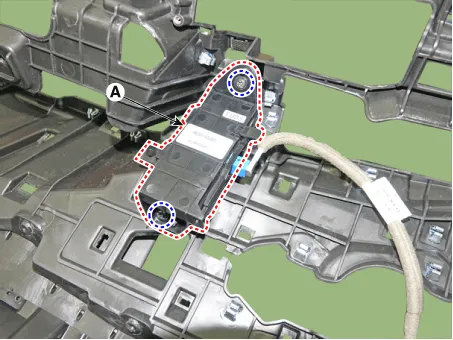
| 3. | Loosen the mounting screws and then remove the crash pad antenna (A).
|
| Installation |
| 1. | Connect the roof antenna connectors. |
| 2. | Install the roof trim assembly.
|

| 1. | Connect the roof antenna connectors and install the roof antenna. |
| 2. | Install the main crash pad assembly. |
Components and components location Component Repair procedures Removal1.Disconnect the negative (-) battery terminal.2.Using a remover and remove the overhead console (A).
Other information:
Hyundai Elantra (CN7) 2021-2026 Service Manual: In-car Sensor
Description and operation DescriptionThe In-car air temperature sensor is built in the heater & A/C control unit.The sensor contains a thermistor which measures the temperature of the inside. The signal decided by the resistance value which changes in accordance with perceived inside temperature, is delivered to heater control unit and accor
Hyundai Elantra (CN7) 2021-2026 Service Manual: Troubleshooting
Diagnosis with Diagnostic tool1.In the body electrical system, failure can be quickly diagnosed by using the vehicle diagnostic system (Diagnostic tool).The diagnostic system (Diagnostic tool) provides the following information.(1)Fault Code Searching : Checking failure and code number (DTC)(2)Data Analysis : Checking the system input/output data s
Categories
- Manuals Home
- Hyundai Elantra Owners Manual
- Hyundai Elantra Service Manual
- Front Radar Unit
- Troubleshooting
- Driver assistance system
- New on site
- Most important about car
