
Hyundai Elantra (CN7): Driver Parking Assistance System / ADAS Parking ECU (ADAS_PRK)
Components and components location
| Components and Components Location |
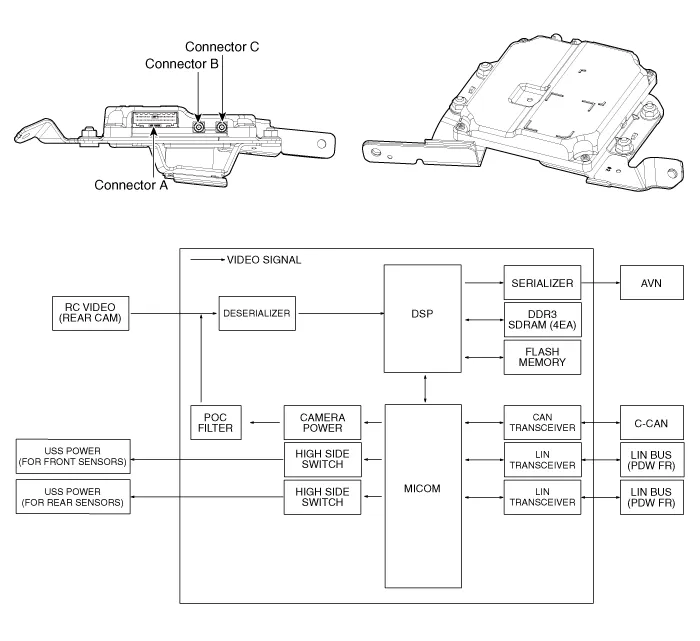
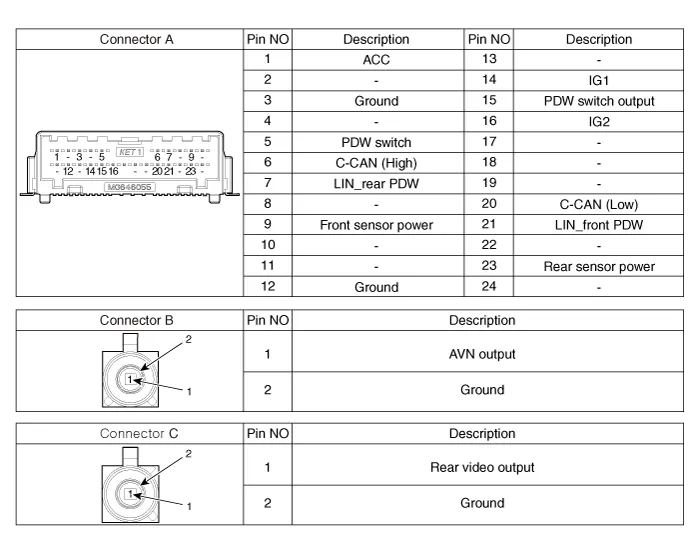
Repair procedures
| Removal |
|

| 1. | Disconnect the negative (-) battery terminal. |
| 2. | Remove the AVN Head unit. (Refer to Body Electrical System - "AVN Head Unit") |
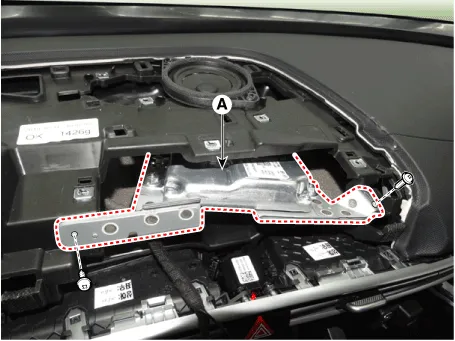
| 3. | Loosen the mounting screws and remove the ADAS_PRK Unit (A).
|
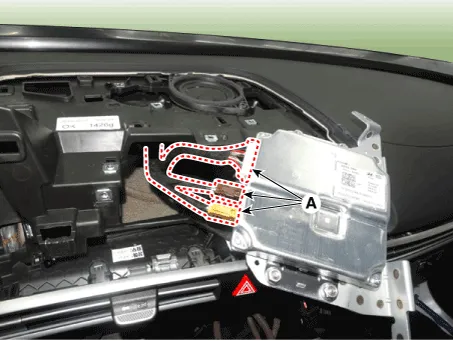
| 4. | Disconnect the ADAS_PRK Unit connectors (A).
|
| Installation |
| 1. | Install in the reverse order of removal. |
| 2. | Connect the cable of Diagnostic tool to the data link connector in driver side crash pad lower panel, and turn on the Diagnostic tool. |
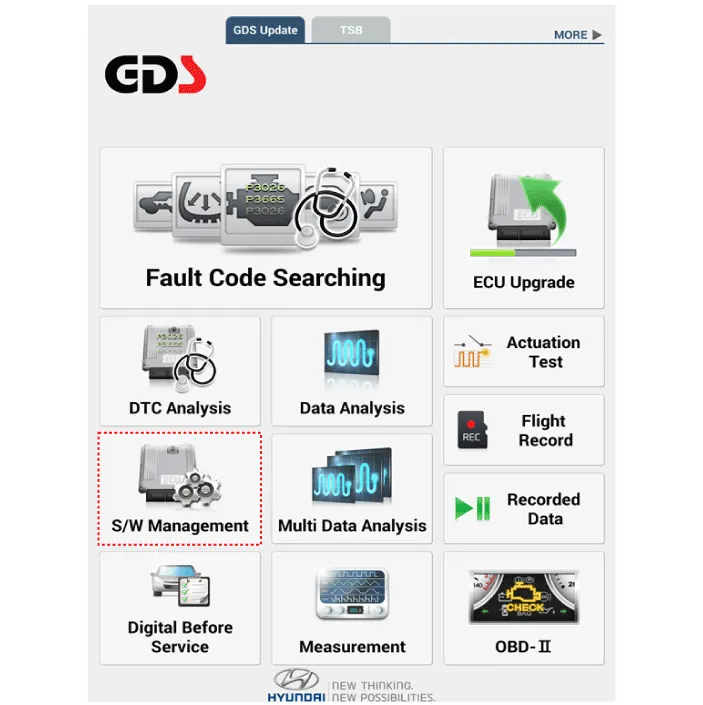
| 3. | Select the 'S/W Management' and 'Car model'.
|
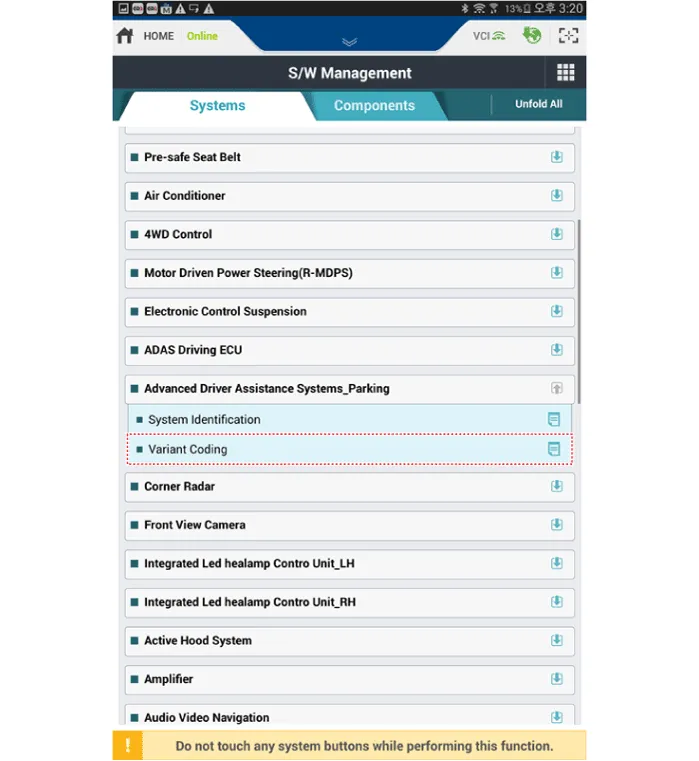
| 4. | Select the 'Advanced Driver Assistance Systems_Parking' and Variant Coding.
|
TroubleshootingDiagnosis with Diagnostic tool1.In the body electrical system, failure can be quickly diagnosed by using the vehicle diagnostic system (Diagnostic tool).
Components and components location Components and Components Location Schematic diagrams Schematic DiagramsParking Collision-Avoidance Assist (PCA) Ultrasonic sensorParking Collision-Avoidance Assist (PCA) Rear view camera Repair procedures RemovalParking Collision-Avoidance Assist (PCA) Unit1.
Other information:
Hyundai Elantra (CN7) 2021-2026 Service Manual: Repair procedures
Refrigerant System Service Basics (R-134a)Refrigerant Recovery Use only service equipment that is U.L-listed and is certified to meet the requirements of SAE J2210 to remove HFC-134a(R-134a) from the air conditioning system. • Air conditioning refrigerant or lubricant vapor can irritate your eyes, nose, or
Hyundai Elantra (CN7) 2021-2026 Service Manual: Heater Core
Repair procedures Replacement1.Disconnect the negative (-) battery terminal. 2.Remove the heater and blower assembly.(Refer to Heater - "Heater Unit") 3.Remove the heater core cover (A) after loosening the mounting screws.4.Pull out the heater core (A) from the heater unit.
Categories
- Manuals Home
- Hyundai Elantra Owners Manual
- Hyundai Elantra Service Manual
- Instrument Cluster
- Drive Mode
- Front Bumper
- New on site
- Most important about car
