
Hyundai Elantra (CN7): AVN System / AVN Remote Controller
Components and components location
| Components |
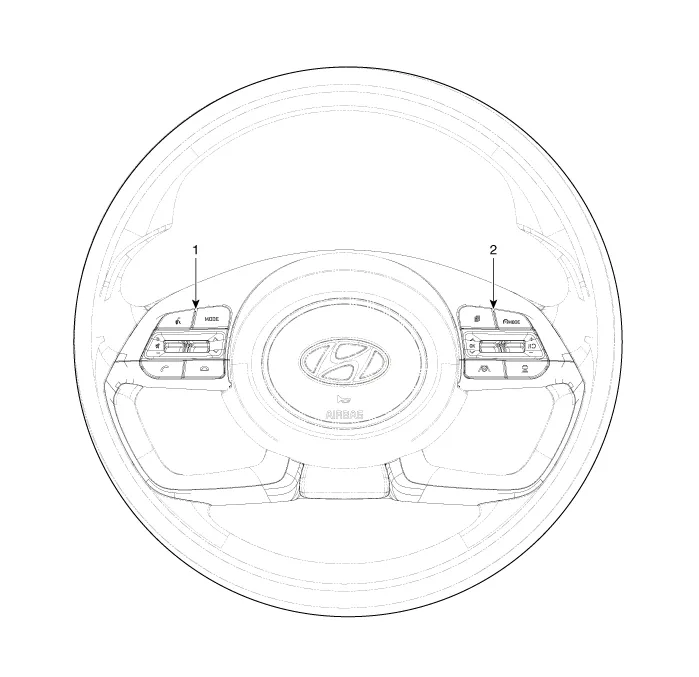
| 1. Left Remote Control Switch (Audio + Bluetooth) | 2. Right Remote Control Switch (Cruise + Trip) |
Schematic diagrams
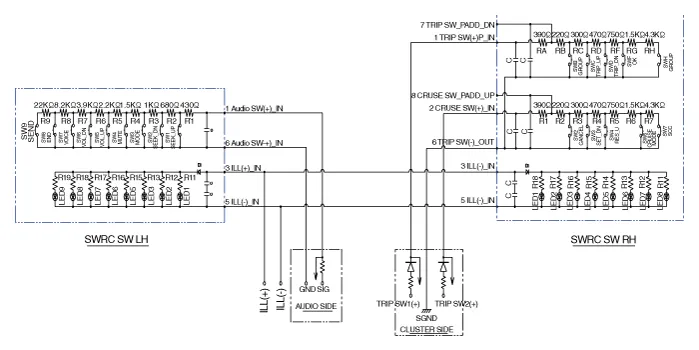
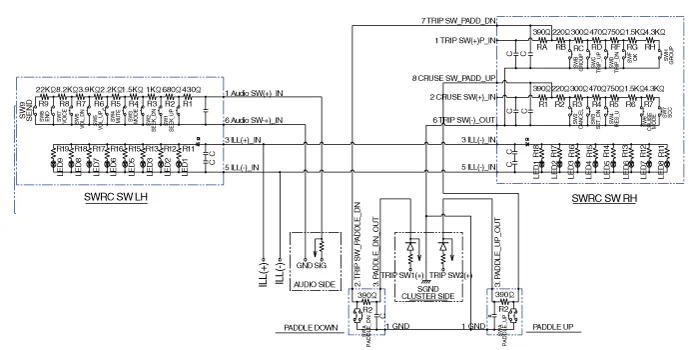
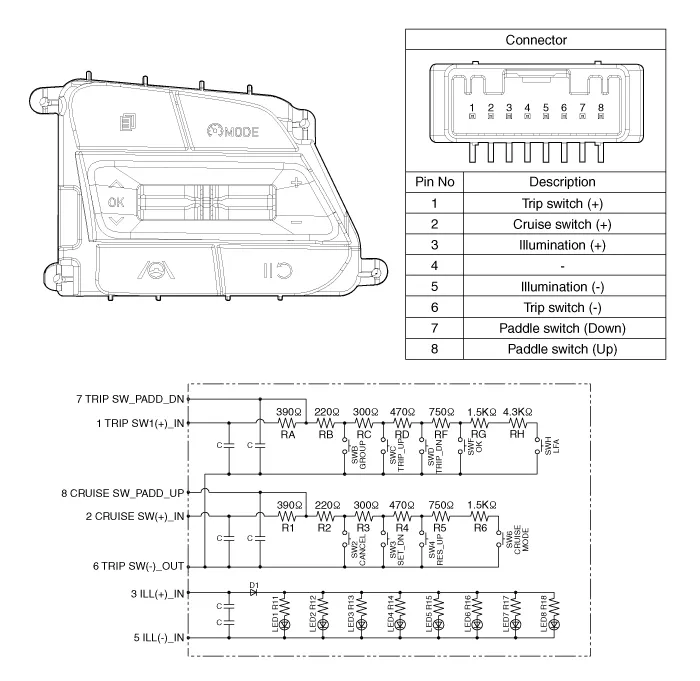
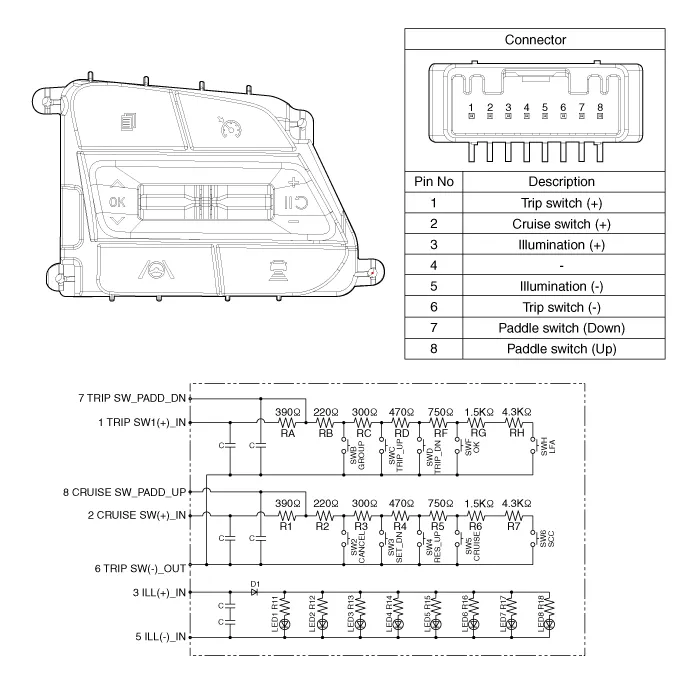
| Circuit Diagram |
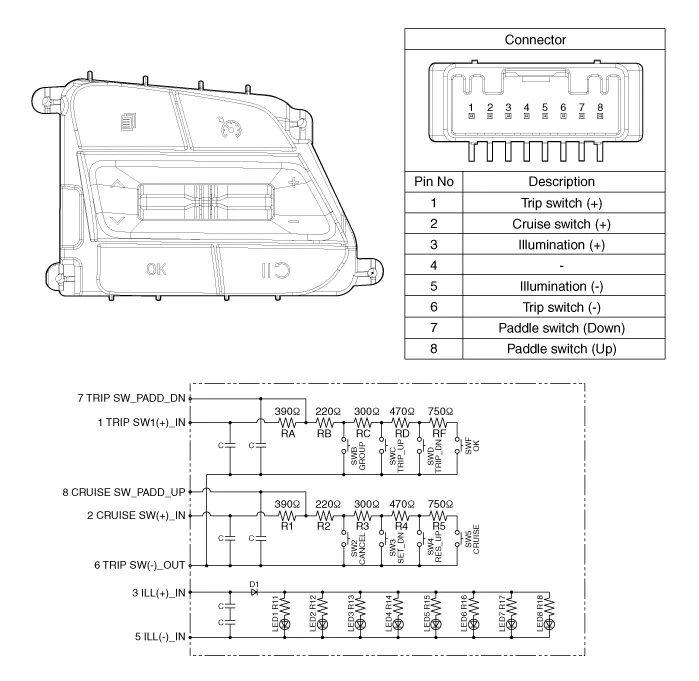
| [Without paddle shift] |
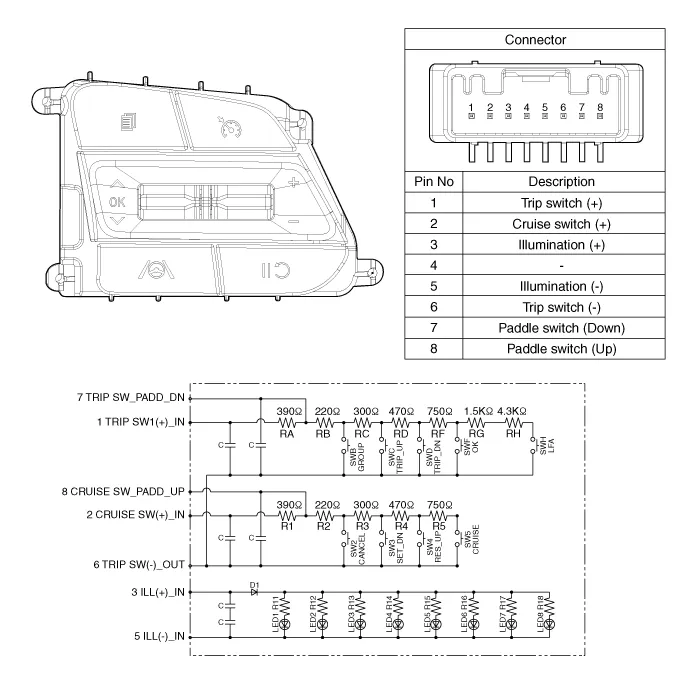
| [With paddle shift] |

Repair procedures
| Inspection |
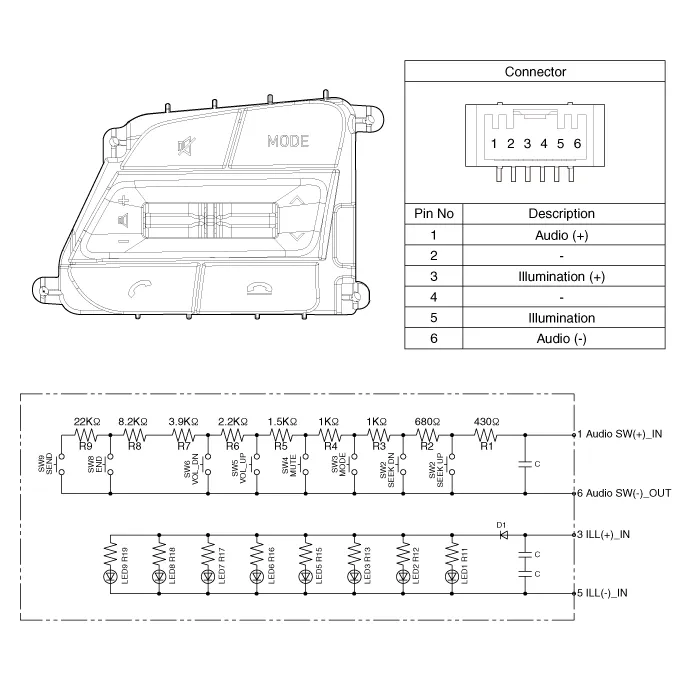
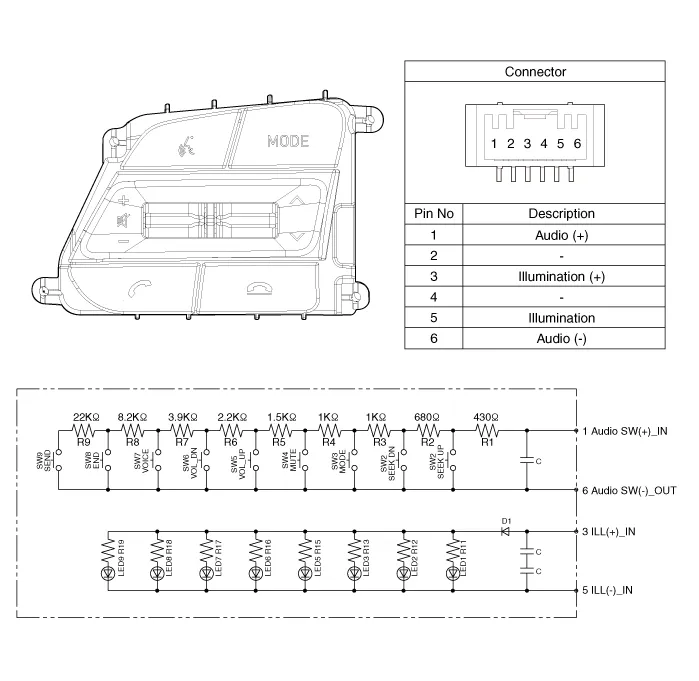
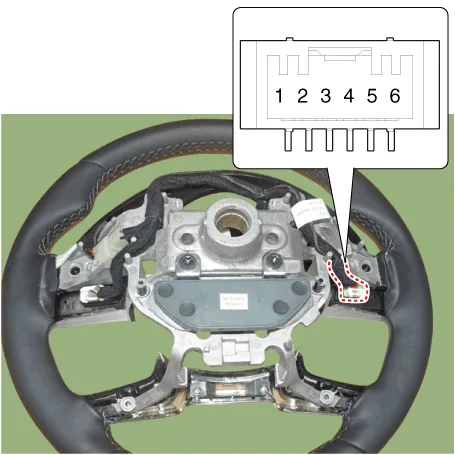
| 1. | Check for resistance between terminals in each switch position (LH).
[LH : Audio + Hands free]
|
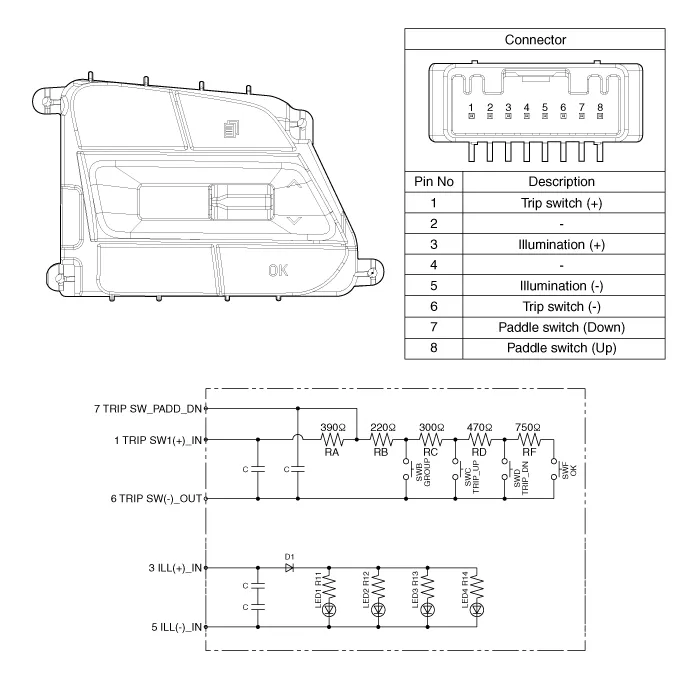
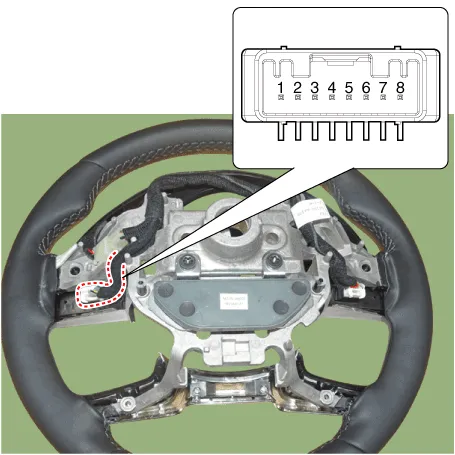
| 2. | Check for resistance between terminals in each switch position (RH).
[Cruise]
[Trip]
|
| Removal |
| 1. | Disconnect the negative (-) battery terminal. |
| 2. | Remove the steering wheel assembly. (Refer to Steering System - "Steering Wheel") |
| 3. | Remove the steering back cover (A).
|
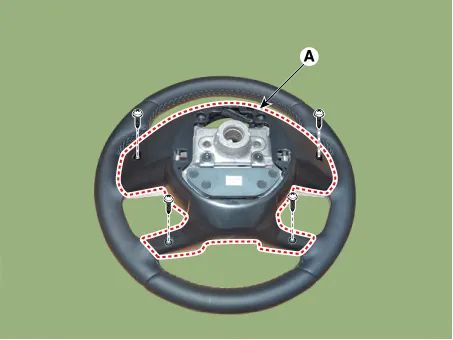
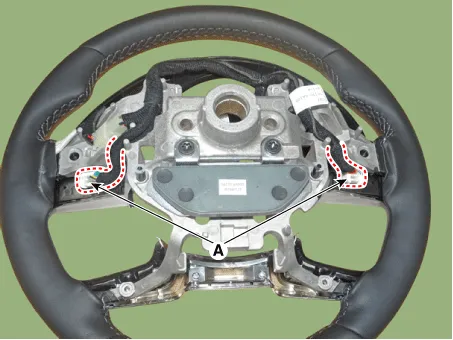
| 4. | Remove the steering remote control connector (A).
|
| 5. | Remove the steering remote control switch (A) after loosening the screws.
|
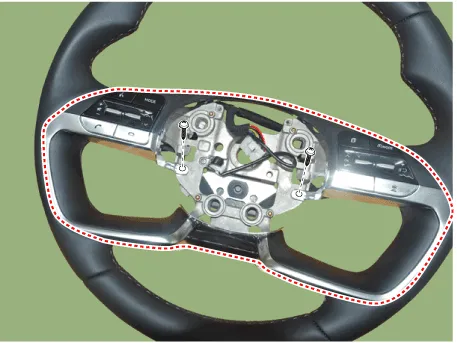
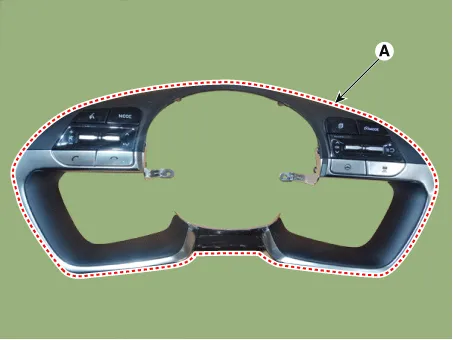
| Installation |
| 1. | Install the steering wheel remote control after connecting the connector. |
| 2. | Install the steering wheel. |
| 3. | Connect the negative (-) battery terminal. |
Components and components location Components NO Connector A NO Connector B 1BATT (+)1Subwoofer 2 (+)2BATT (+)2Subwoofer 1 (+)3BATT (+)3Sub woofer speaker (+)4BATT (+)4-5-5-6Multimedia CAN (High)6-7Multimedia CAN (Low)7Navigation voice (+)8ACC8-9-9-10-10-11-11-12-12Rear door speaker - RH (+)13-13Rear door speaker - LH (+)14-14Center speaker (+)15-15 -16Ground16Front door tweeter speaker - RH (-)17Ground17Front door tweeter speaker - LH (-)18Ground18Sub woofer speaker (-)19Ground19-20SPDIF (High)20-21SPDIF (Low)21Navigation voice (+)22SPDIF GND22-23-23-24IGN 124-25-25Rear door speaker - RH (-)26-26Rear door speaker - LH (-) 27-27Center speaker (+)28-28 - Repair procedures Removal1.
Components and components location Components Repair procedures RemovalRoof Antenna1.Disconnect the negative (-) battery terminal.2.Remove the roof trim.
Other information:
Hyundai Elantra (CN7) 2021-2026 Service Manual: Heater & A/C Control Unit (DATC)
Components and components location Components[This illustration shows the LHD type. RHD type is symmetrical.][Connector A] Pin No Function Pin No Function 1Battery9IGN22ILL+ (TAIL)10ISG Battery (+)3-11IGN14LIN BUS12HTD5-13-6-14-7-15-8RHEO (
Hyundai Elantra (CN7) 2021-2026 Service Manual: Description and operation
DescriptionRear Corner Radar is a system that measures the relative speed and distance from the following vehicles by using two electromagnetic wave radar sensors attached to the rear bumper, and detects any vehicle within the blind spot zone and gives off alarm.
Categories
- Manuals Home
- Hyundai Elantra Owners Manual
- Hyundai Elantra Service Manual
- General Tightening Torque Table. General information
- Maintenance
- Instrument Cluster
- New on site
- Most important about car
