
Hyundai Elantra (CN7): Intelligent Speed Limit Assist (ISLA) / Function malfunction and limitations
Function malfunction
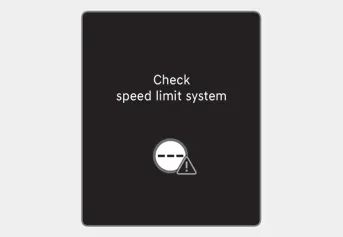
When Intelligent Speed Limit Assist is not working properly, the ‘Check speed limit system’ warning message will appear on the cluster. If this occurs, we recommend that the function be inspected by an authorized Hyundai dealer.
Function disabled
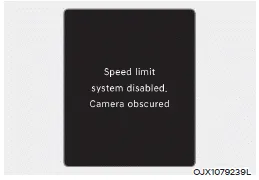
When the front windshield where the front view camera is located is covered with foreign material, such as snow or rain, it can reduce the detecting performance and temporarily limit or disable Intelligent Speed Limit Assist.
If this occurs, the ‘Speed limit system disabled. Camera obscured’ warning message will appear on the cluster.
The function will operate normally when snow, rain or foreign material is removed.
If the function does not operate normally after it is removed, we recommend that the function be inspected by an authorized Hyundai dealer.
WARNING
- Even though the warning message or warning light does not appear on the cluster, Intelligent Speed Limit Assist may not operate properly.
- If the detecting sensor is contaminated immediately after starting the engine, the system may not operate properly.
Limitations of the function
Intelligent Speed Limit Assist may not operate normally, or the system may operate unexpectedly under the following circumstances:
- The road sign is contaminated or
indistinguishable
-- The road sign is difficult to see due to bad weather, such as rain, snow, fog, etc.
-- The road sign is not clear or damaged
-- The road sign is partially obscured by surrounding objects or shadow - The road signs do not conform to the
standard
-- The text or picture on the road sign is different from the standard - The road sign is installed between the main line and the exit road or between diverging roads
-- An conditional road sign is not installed with a sign located on the road to enter or exit
-- A sign is attached to another vehicle - The brightness changes suddenly, for example when entering or exiting a tunnel or passing under a bridge
- Headlamps are not used or the brightness of the headlamps are weak at night or in the tunnel
- Road signs are difficult to recognize due to the reflection of sunlight, street lights, or oncoming vehicles
- The field of view of the front view camera is obstructed by sun glare
- Driving on a road that is sharply curved or continuously curved
- Driving through speed bumps, or driving up and down or left to right on steep inclines
- The vehicle is shaking heavily
WARNING
- Intelligent Speed Limit Assist is a supplemental system that helps the driver to comply with the speed limit on the road, and may not display the correct speed limit or control the driving speed properly.
- Always set the vehicle speed to the speed limit in the region you are driving.
Information
For more details on the limitations of the front view camera, refer to “Forward Collision-Avoidance Assist (FCA)� section in chapter 7.
Function warning and control Intelligent Speed Limit Assist will warn and control the vehicle by ‘Displaying speed limit’, ‘Warning overspeed’ and ‘Changing set speed’.
Basic function Driver Attention Warning can help determine the driver's attention level by analyzing driving pattern, driving time, etc. while vehicle is being driven.
Other information:
Hyundai Elantra (CN7) 2021-2026 Service Manual: High Mounted Stop Lamp
Repair procedures Removal1.Disconnect the negative (-) battery terminal.2.Remove the rear package tray trim.(Refer to Body - "Rear Package Tray Trim")3.Loosen the mounting screws and remove the high mounted stop lamp (A).Installation1.Install the high mounted stop lamp.
Hyundai Elantra (CN7) 2021-2026 Service Manual: PM Sensor
Description and operation DiscriptionMonitor the air quality inside the vehicle in real time (PM sensor) and display the status on the screen.Automatically operate when fine dust concentration is high (Condition: Bet mode + A/C ON + 3rd speed or higher) Components and components location Components Location1.
Categories
- Manuals Home
- Hyundai Elantra Owners Manual
- Hyundai Elantra Service Manual
- Troubleshooting
- Maintenance
- Body (Interior and Exterior)
- New on site
- Most important about car
