
Hyundai Elantra (CN7): Driving Safety / Manual Speed Limit Assist (MSLA). System operation
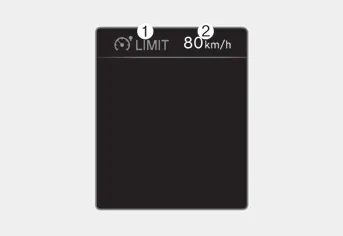
(1) Manual Speed Limit Assist enabled
indicator
(2) Set speed
You can set the speed limit when you do not want to drive over a specific speed.
If you drive over the preset speed limit, Manual Speed Limit Assist will operate (set speed limit will blink and chime will sound) until the vehicle speed returns within the speed limit.
System operation
To set speed limit
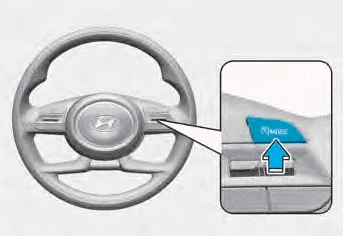
1. Press and hold Driving Assist
(
 ) button at the desired
speed. The Manual Speed Limit
Assist enabled (
) button at the desired
speed. The Manual Speed Limit
Assist enabled (
 ) indicator will
illuminate on the cluster.
) indicator will
illuminate on the cluster.
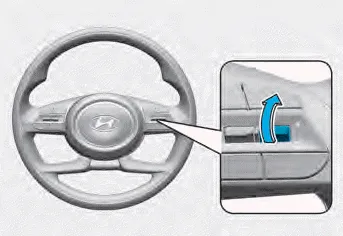
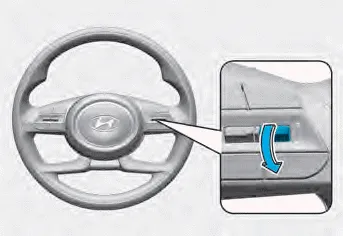
2. Push the + switch up or - switch down, and release it at the desired speed.
Push the + switch up or - switch down and hold it. The speed will increase or decrease to the nearest multiple of ten (multiple of five in mph) at first, and then increase or decrease by 10 km/h (5 mph).
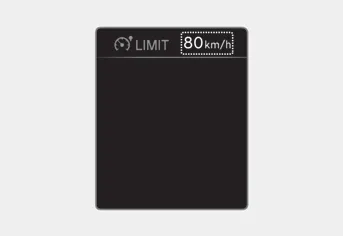
3. The set speed limit will be displayed on the cluster.
If you would like to drive over the preset speed limit, depress the accelerator pedal beyond the pressure point to activate the kickdown mechanism.
The set speed limit will blink and chime will sound until you return the vehicle speed within the speed limit.
Information
- When the accelerator pedal is not depressed beyond the pressure point, vehicle speed will maintain within the speed limit.
- A clicking sound may be heard from the kickdown mechanism when the accelerator pedal is depressed beyond the pressure point.
To temporarily pause the system
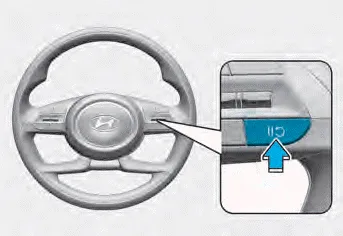
[A] : Type A, [B] : Type B
Push the
 switch to temporarily
pause the set speed limit. The set speed
limit will turn off but the Manual Speed
Limit Assist enabled (
switch to temporarily
pause the set speed limit. The set speed
limit will turn off but the Manual Speed
Limit Assist enabled (
 ) indicator
will stay on.
) indicator
will stay on.
To resume the system
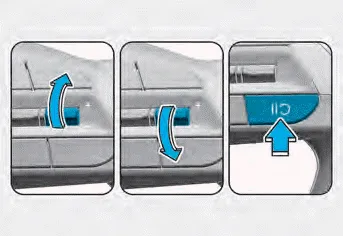
To resume Manual Speed Limit Assist
after the system was paused, push the +,
-,
 switch.
If you push the + switch up or – switch down, vehicle speed will be set to the current speed on the cluster.
If you push the
 switch, vehicle
speed
will resume to the preset speed.
switch, vehicle
speed
will resume to the preset speed.
To turn off the system
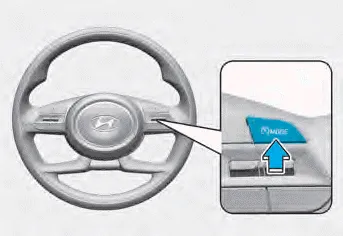
Press the Driving Assist (
 )
button
to turn Manual Speed Limit Assist off.
The Manual Speed Limit Assist enabled
(
)
button
to turn Manual Speed Limit Assist off.
The Manual Speed Limit Assist enabled
(
 ) indicator will go off.
Always press the Driving Assist (
 )
button to turn Manual Speed Limit Assist
off when not in use.
)
button to turn Manual Speed Limit Assist
off when not in use.
WARNING
Take the following precautions when using Manual Speed Limit Assist:
- Always set the vehicle speed to the speed limit in your country.
- Keep Manual Speed Limit Assist off
when the system is not in use, to
avoid inadvertently setting a speed.
Check that the Manual Speed Limit
Assist enabled (
 ) indicator is
off.
) indicator is
off. - Manual Speed Limit Assist does not substitute for proper and safe driving. It is the responsibility of the driver to always drive safely and should always be aware of unexpected and sudden situations from occurring. Pay attention to the road conditions at all times.
Function malfunction When Safe Exit Warning is not working properly, the ‘Check Blind-Spot Safety system’ warning message will appear on the cluster, and the system will turn off automatically or the system will be limited.
Intelligent Speed Limit Assist uses information from the detected road sign and navigation system to inform the driver of the speed limit and additional information of the current road.
Other information:
Hyundai Elantra (CN7) 2021-2026 Service Manual: Repair procedures
Variant Coding When you need variant coding:– Replace Front View Camera with a new one※ EOL Variant Coding and calibration required for new replacementFront View Camera Variant CodingFront view camera variant coding makes it possible to operate functions for each vehicle type.
Hyundai Elantra (CN7) 2021-2026 Service Manual: Rear Corner Radar Unit
Specifications Specifications Items Blind-Spot Collision Warning (BCW) Blind-Spot Collision- Avoidance Assist-Rear (BCA-R) Rated voltageDC 12VOperating voltage9V - 16VOperating speed30 km/h - 255 km/h60 km/h - 180 km/hSensible distance70m Curvature radiusStart : More
Categories
- Manuals Home
- Hyundai Elantra Owners Manual
- Hyundai Elantra Service Manual
- Instrument Panel Overview
- Integrated Thermal Management Module (ITM)
- General Tightening Torque Table. General information
- New on site
- Most important about car
