
Hyundai Elantra (CN7): Wireless Power Charger System / Wireless Power Charging Unit
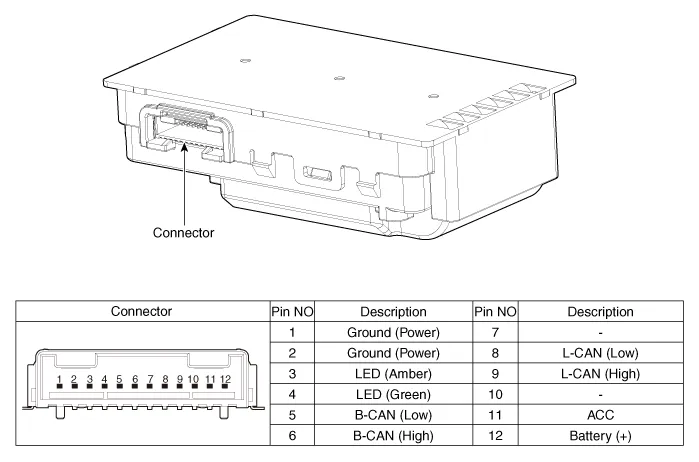
Components and positions
| Components |
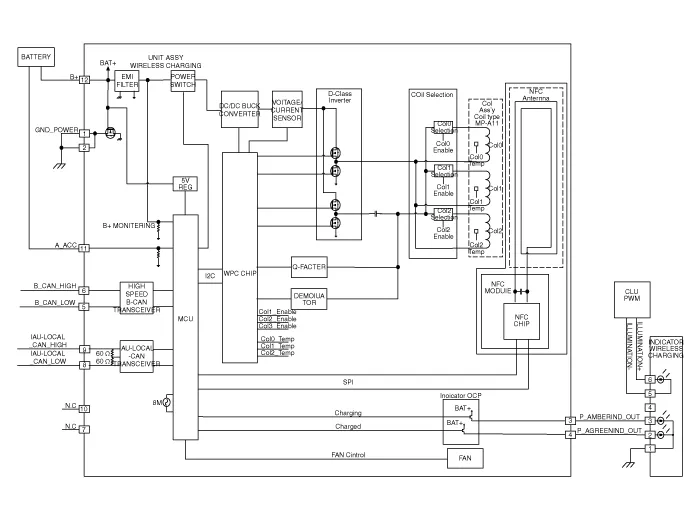
Circuit diagram
| Circuit Diagram |
Repair procedures
| Removal |
|

| 1. | Disconnect the negative (-) battery terminal. |
| 2. | Remove the floor console upper cover assembly. (Refer to Body - "Floor Console Upper Cover") |
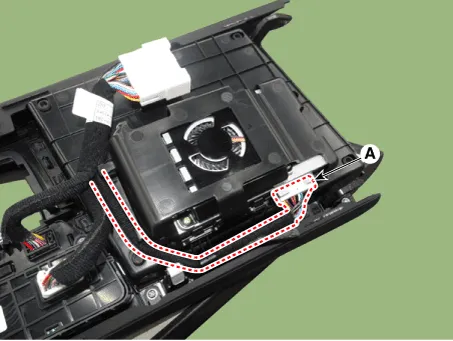
| 3. | Disconnect the connector (A) and remove the wireless power charger unit.
|
| Installation |
| 1. | Install the wireless power charging unit. |
| 2. | Connect the wireless power charging unit connectors. |
| 3. | Install the floor console upper cover. |
| 4. | Connect the negative (-) battery terminal. |
| [Diagnosis With Diagnostic tool] |
| 1. | In the body electrical system, failure can be quickly diagnosed by using the vehicle diagnostic system (Diagnostic tool). The diagnostic system(Diagnostic tool) provides the following information.
|
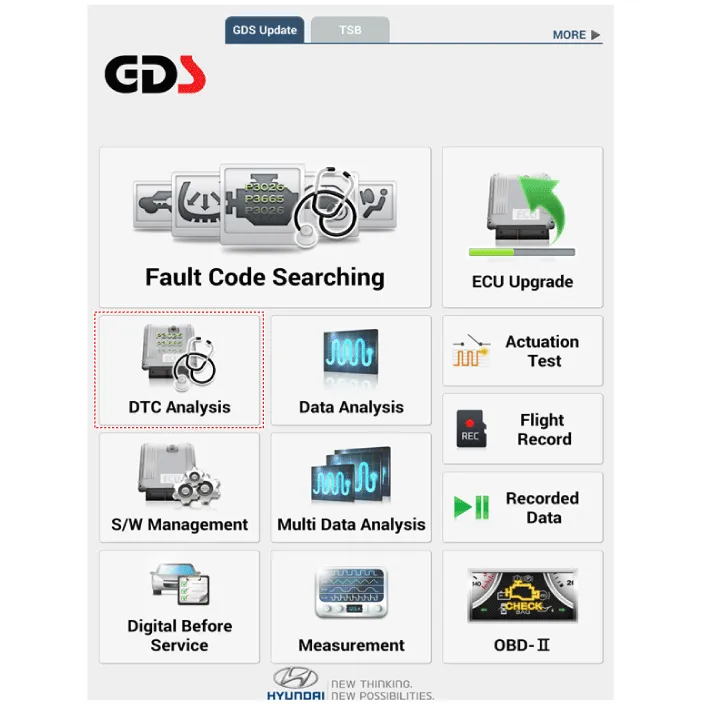
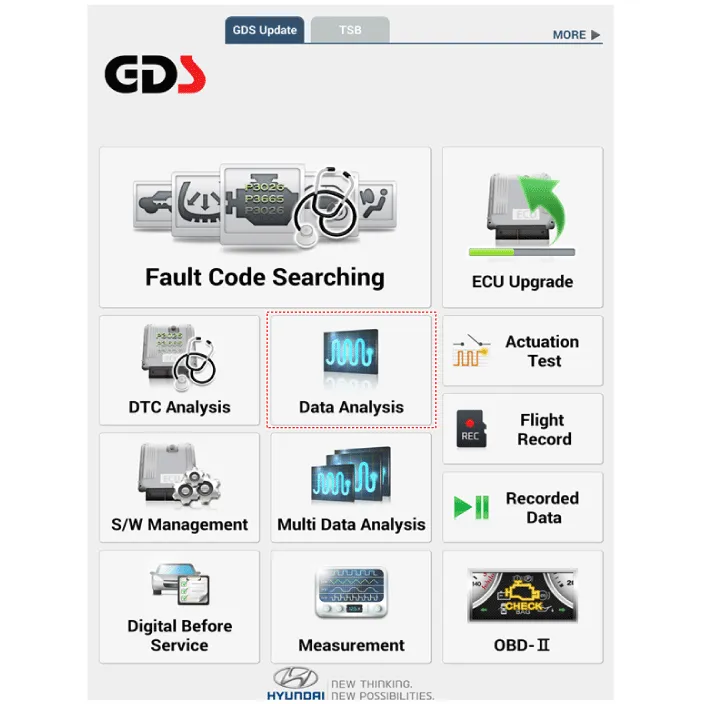
| 2. | If diagnose the vehicle by Diagnostic tool, select "DTC Analysis" and "Vehicle".
|
| 3. | If check current status, select the "Data Analysis" .
|
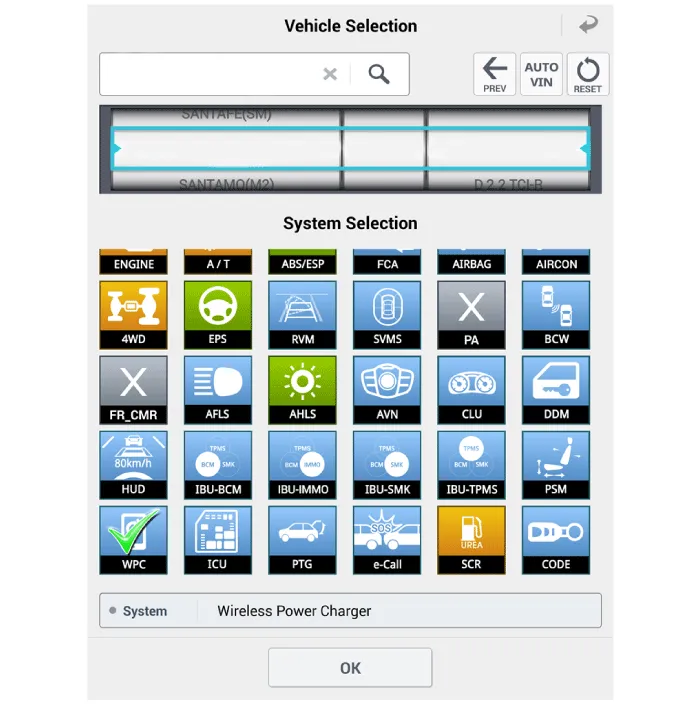
| 4. | Select the 'WPC' to search the current state of the input/output data.
|
Specifications Item Specification Rated voltageDC 12VOperating voltageDC 9.0 - 16.0VOperating temperature-86 to 167°F (-30 to 75°C)Dark currentMAX 1mAOutput power5 WOutput frequency110 ± 5 kHz
Components and positions Components Repair procedures Removal • Handling wireless charging system parts by wet hands may cause electric shock.
Other information:
Hyundai Elantra (CN7) 2021-2026 Service Manual: Specifications
SpecificationAir Conditioner Item Specification CompressorTypeGamma 1.6 MPI, Gasoline 2.0 NU MPI, Gasoline 1.6 T-GDI : 6HVx14Gasoline 1.6 MPI : 6HVe14Oil type & CapacityFD46XG (IDEMITSU) 100 ± 10 g Pulley type6PK-TYPEDisplacement145 cc/revExpansion valveTypeBlock type RefrigerantTypeR - 134
Hyundai Elantra (CN7) 2021-2026 Service Manual: Compressor
Description and operation DescriptionThe compressor is the power unit of the A/C system.It is located on the side of engine block and driven by a V-belt of the engine.The compressor changes low pressure and low temperature refrigerant gas into high pressure and high temperature refrigerant gas.
Categories
- Manuals Home
- Hyundai Elantra Owners Manual
- Hyundai Elantra Service Manual
- Instrument Panel Overview
- Troubleshooting
- Body Electrical System
- New on site
- Most important about car
