
Hyundai Elantra (CN7): Advanced Driver Assistance System (ADAS) / Rear View Monitor (RVM)
Description and operation
| Description |
This system is a supplementary function only. It is the responsibility of the driver or always check the inside/ outside rear view mirror and the area behind the vehicle before and while backing up because there is a dead zone that can't see through the camera. |

Components and components location
| Component Location |
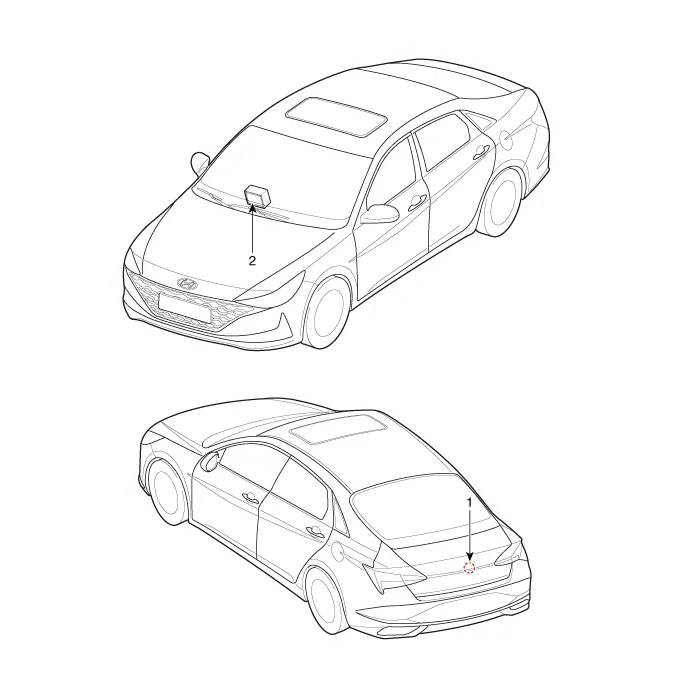
| 1. Rear view camera | 2. AVN monitor |
Schematic diagrams
| Circuit Diagram |
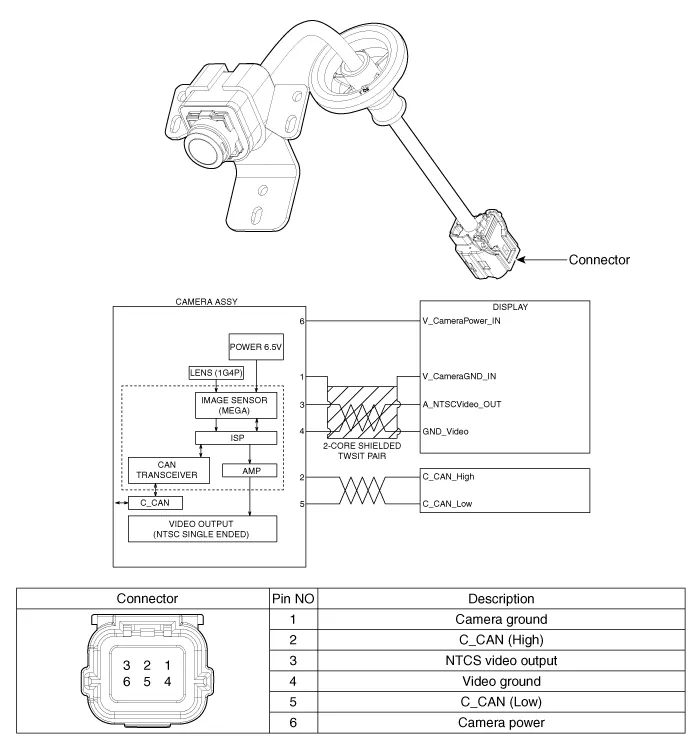
Repair procedures
| Removal |
| 1. | Disconnect the negative (-) battery terminal. |
| 2. | Remove the trunk trim. (Refer to Body - "Trunk Rid Trim") |
| 3. | Remove the trunk back panel. (Refer to Body - "Trunk back Panel") |
| 4. | Loosen the mounting screw and then remove the rear view camera (A).
|
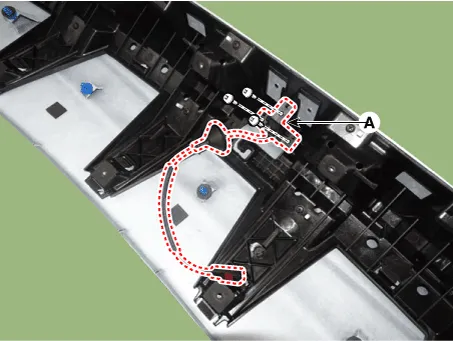
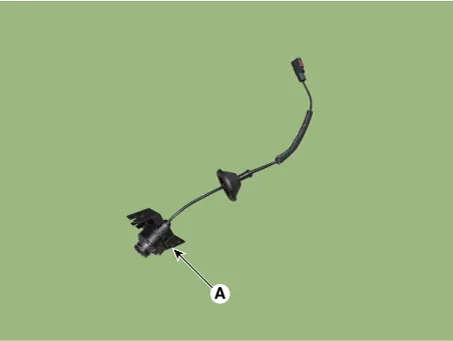
| Installation |
| 1. | Install the rear view camera. |
| 2. | Install the and trunk back panel. |
| 3. | Install the and trunk rid trim. |
| 4. | Connect the negative (-) battery terminal. |
Description and operation Description• PDW consists of 8 sensors (front : 4 units, rear : 4 units) that are used to detect obstacles and transmit the result in three separate warning levels, the first, second and third to IBU via LIN communication.
Other information:
Hyundai Elantra (CN7) 2021-2026 Service Manual: Rheostat
Components and components location Components Repair procedures Replacement1.Disconnect the negative (-) battery terminal.2.Remove the crash pad lower panel (A).(Refer to Body - "Crash Pad Lower Panel")3.Loosen the mounting screw and remove the crash pad lower switch (A).
Hyundai Elantra (CN7) 2021-2026 Service Manual: Mode Control Actuator
Description and operation DescriptionThe mode control actuator is located at the heater unit.It adjusts the position of the mode door by operating the mode control actuator based on the signal of the A/C control unit. Pressing the mode select switch makes the mode control actuator shift in order of Vent → Bi-Level → Floor → Mix.
Categories
- Manuals Home
- Hyundai Elantra Owners Manual
- Hyundai Elantra Service Manual
- Engine Control / Fuel System
- Body Electrical System
- Front Bumper
- New on site
- Most important about car
