
Hyundai Elantra (CN7): Crash Pad / Cluster Fascia Side Panel
Repair procedures
| Replacement |
|

|

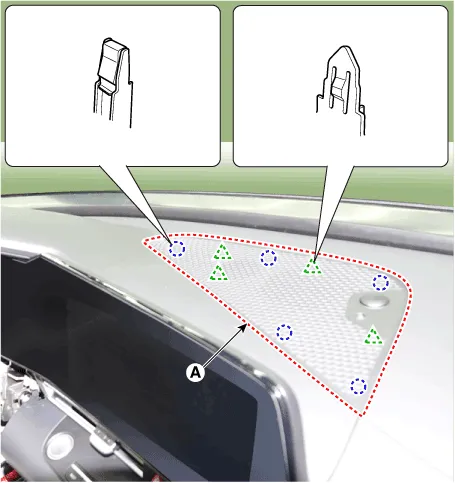
| 1. | Using a screwdriver or remover, remove the photo sensor cover (A).
|
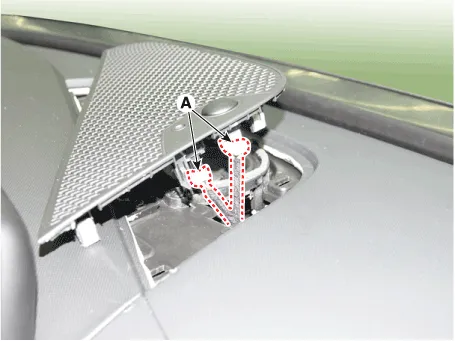
| 2. | Press the lock pin, separate the connectors (A).
|
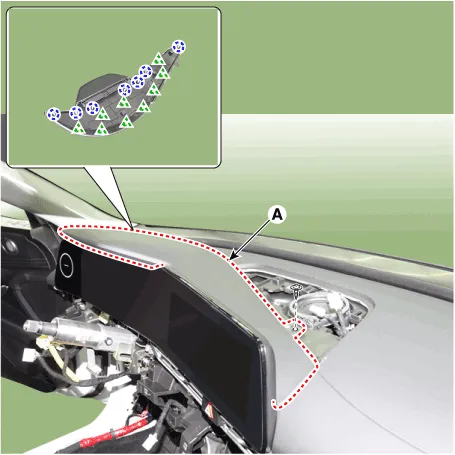
| 3. | Using a screwdriver or remover, remove the cluster fascia panel upper garnish (A).
|
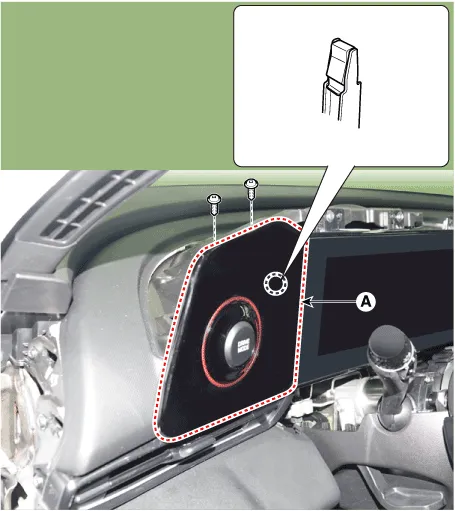
| 4. | Loosen the mounting screw, remove the cluster fascia side panel (A). [4.2" TFT LCD]
[10.25" TFT cluster]
[N Line]
|
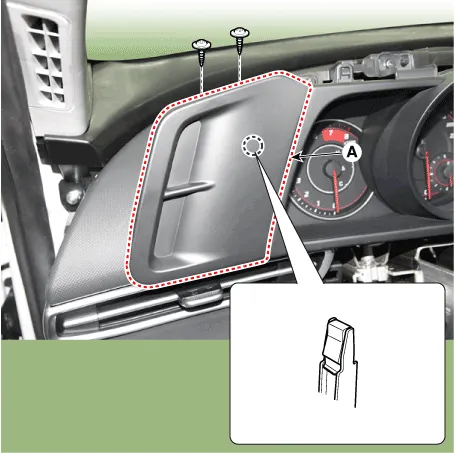
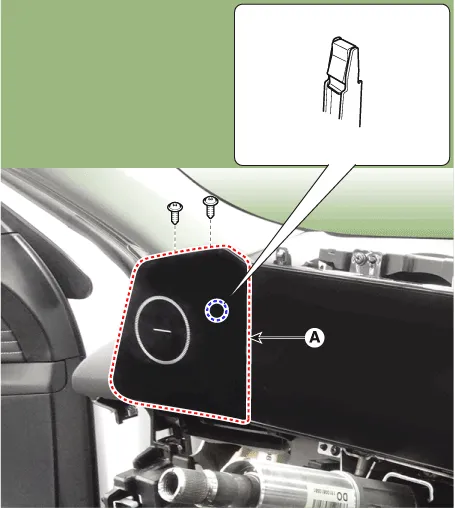
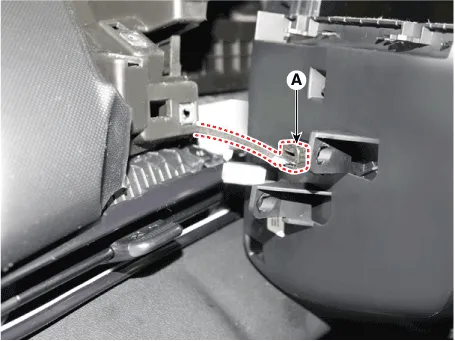
| 5. | Press the lock pin, separate the cluster fascia side panel connector (A). [N Line]
|
| 6. | To install, reverse the removal procedure.
|

Components[This illustration shows the LHD type. RHD type is symmetrical.]1. Crash pad assembly2. Crash pad lower panel3. Crash pad side cover [LH]4. Crash pad side cover [RH]
Components and components location Components Location[This illustration shows the LHD type. RHD type is symmetrical.]1. Center fascia panel Repair procedures Replacement • When removing with a flat - tip screwdriver or remover, wrap protective tape around the tools to prevent damage to components.
Other information:
Hyundai Elantra (CN7) 2021-2026 Service Manual: Description and operation
DescriptionThe immobilizer system will disable the vehicle unless the proper ignition key is used, in addition to the currently available anti-theft systems such as car alarms, the immobilizer system aims to drastically reduce the rate of auto theft.1.
Hyundai Elantra (CN7) 2021-2026 Service Manual: General safety information and caution
Instructions (R-134a)When Handling Refrigerant1.R-134a liquid refrigerant is highly volatile. A drop on the skin of your hand could result in localized frostbite. When handling the refrigerant, be sure to wear gloves. 2.It is standard practice to wear goggles or glasses to protect your eyes, and gloves to protect your hands.
Categories
- Manuals Home
- Hyundai Elantra Owners Manual
- Hyundai Elantra Service Manual
- Body (Interior and Exterior)
- Vehicle Information
- Function settings
- New on site
- Most important about car
