
Hyundai Elantra (CN7): Floor Console / Floor Console Assembly
Components and components location
| Component Location |
| [This illustration shows the LHD type. RHD type is symmetrical.] |
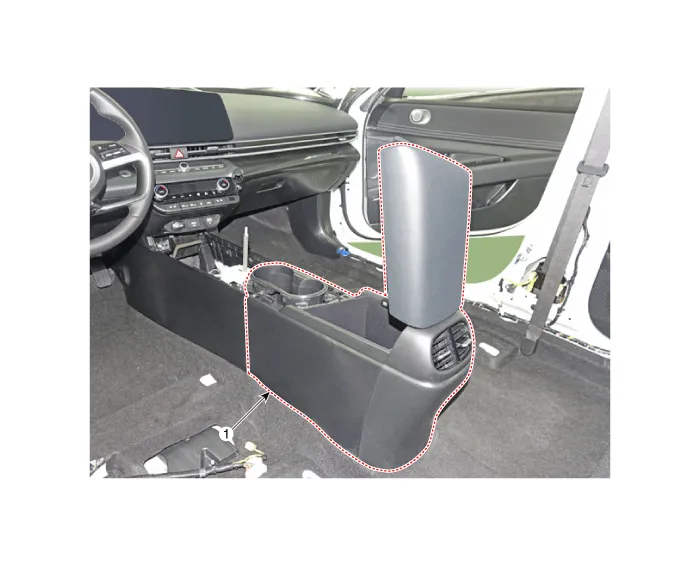
| 1. Floor console assembly |
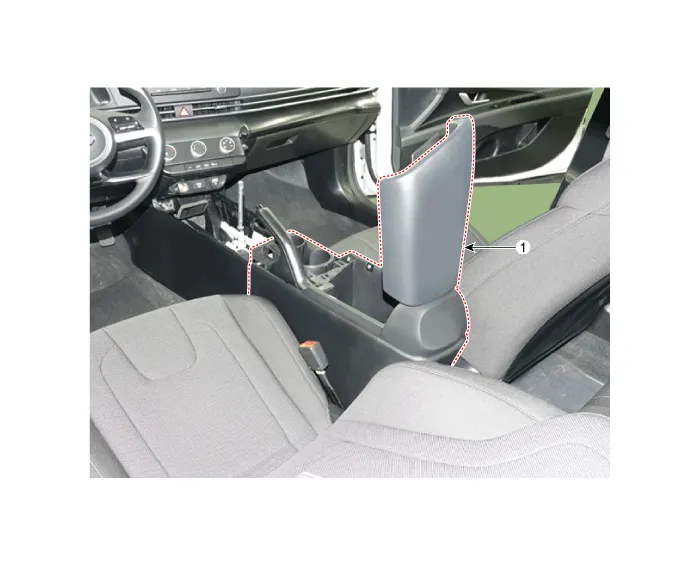
| 1. Floor console assembly |
Repair procedures
| Replacement |
| [Floor console assembly] |
|

|

| 1. | To remove the gear knob & gear boots (A) pull both of it up. [General type]
[N Line]
|
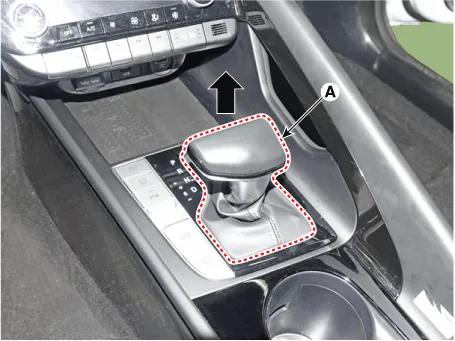
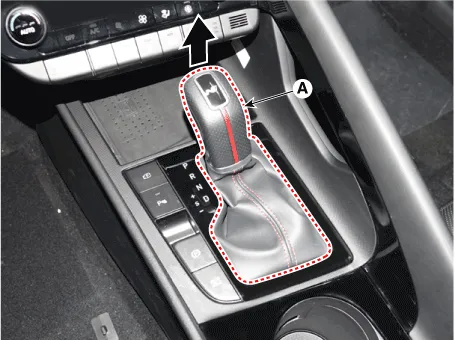
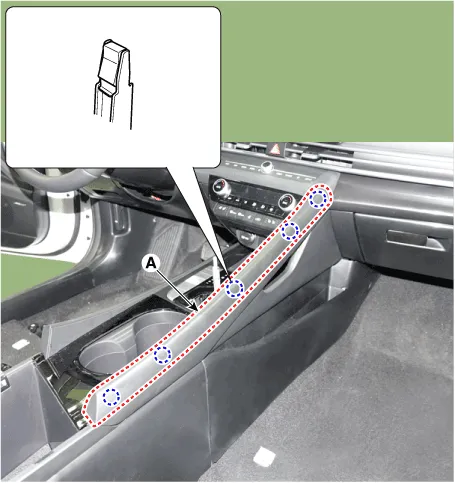
| 2. | Using a screwdriver or remover, remove the floor console side garnish (A).
|
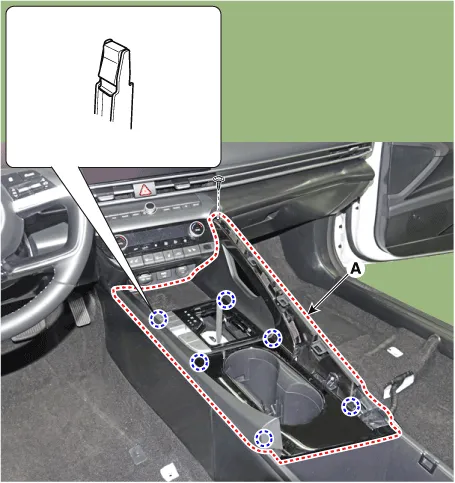
| 3. | After loosening the mounting screw and then using a screwdriver or remover, remove the console upper cover (A).
|
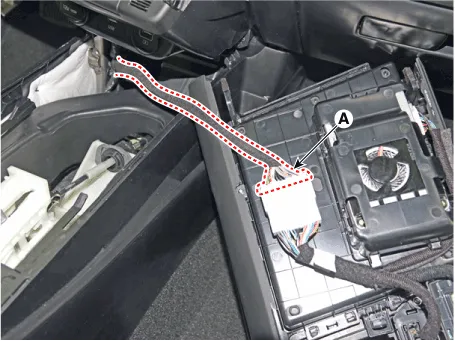
| 4. | Press the lock pin separate the console upper cover connector (A).
|
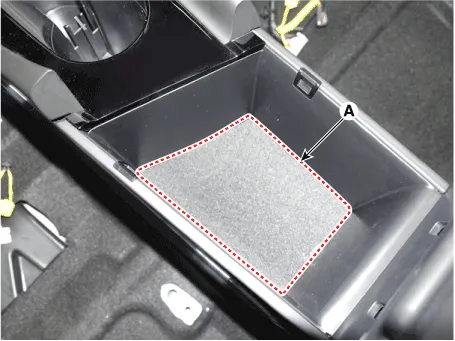
| 5. | Remove the storage box pad (A).
|
| 6. | After loosening the mounting screws and bolts, remove the floor console assembly (A).
|
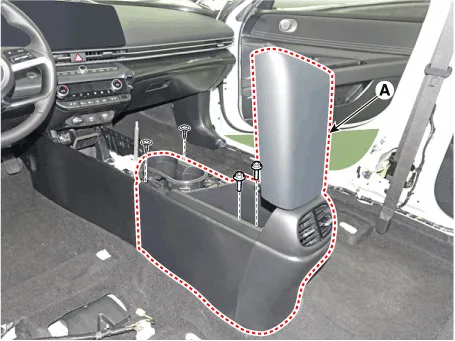
| 7. | To install, reverse the removal procedure.
|

| [Floor console side cover] |
|
|
| 1. | Remove the floor console assembly. (Refer to Floor console - "Floor Console Assembly") |
| 2. | After loosening the mounting clip (A) and screw, remove the floor console side cover (B). [LH]
[RH]
|
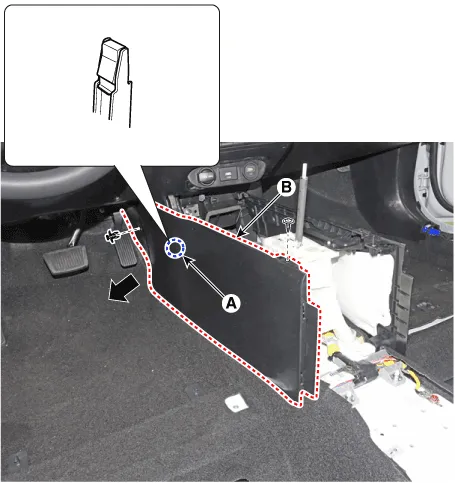
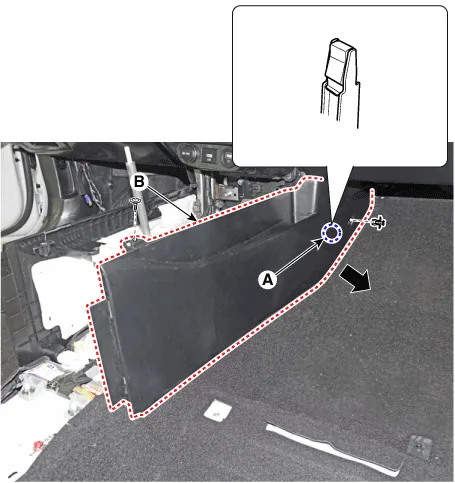
| 3. | To install, reverse the removal procedure.
|
| [Floor console assembly] |
|
|
| 1. | Remove the gear knob & boots (A) pull both of it up.
|
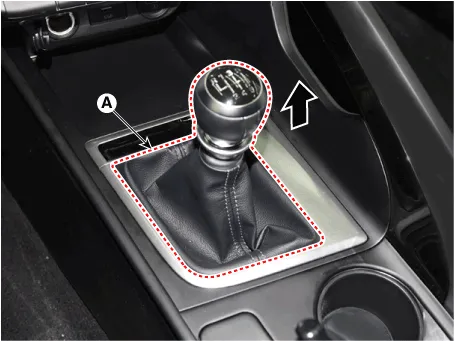
| 2. | Using a screwdriver or remover, remove the floor console side garnish (A).
|
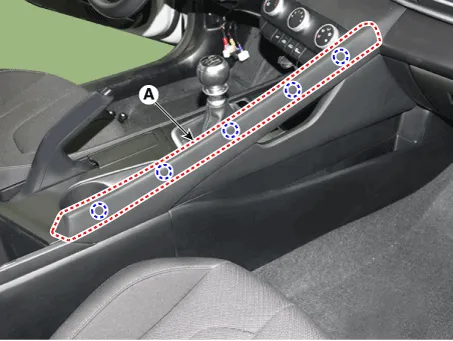
| 3. | Using a screwdriver or remover, remove the parking brake cover (A).
|
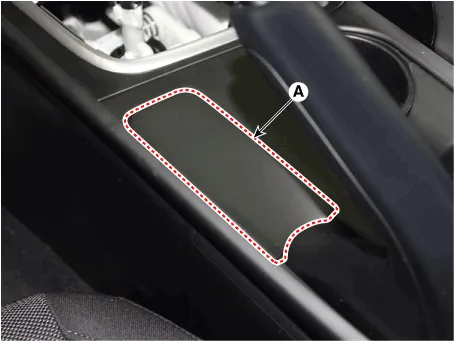
| 4. | After loosening the mounting screw and then using a screwdriver or remover, remove the console upper cover (A).
|
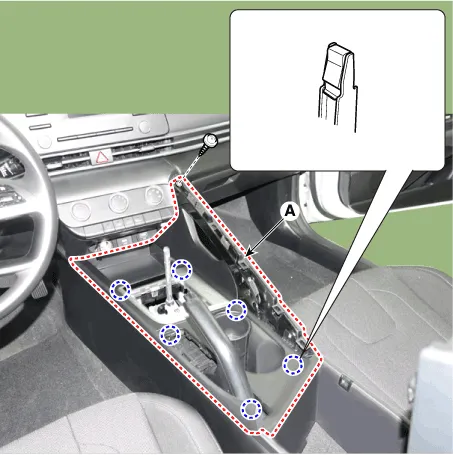
| 5. | Remove the storage box pad (A).
|
| 6. | After loosening the mounting screws and bolts, remove the floor console assembly (A).
|
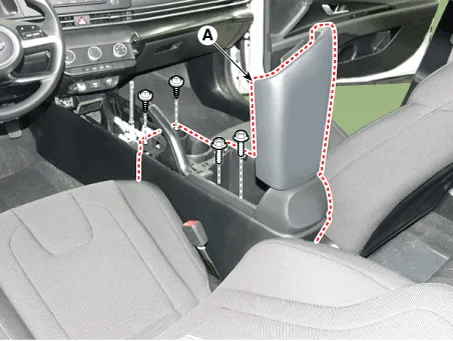
| 7. | To install, reverse the removal procedure.
|
| [Floor console side cover] |
|
|
| 1. | Remove the floor console assembly. (Refer to Floor console - "Floor Console Assembly") |
| 2. | After loosening the mounting clip and screw, remove the floor console side cover (A). [LH]
[RH]
|
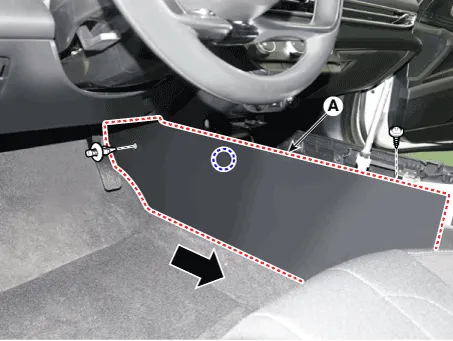
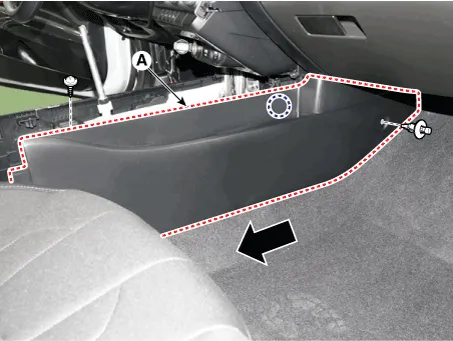
| 3. | To install, reverse the removal procedure.
|
Components[This illustration shows the LHD type. RHD type is symmetrical.]1. Floor console side cover [LH]2. Floor console side cover [RH]3. Floor console upper cover4.
Components and components location Component Location [This illustration shows the LHD type. RHD type is symmetrical.]1. Rear console cover Repair procedures Replacement • When removing with a flat - tip screwdriver or remover, wrap protective tape around the tools to prevent damage to components.
Other information:
Hyundai Elantra (CN7) 2021-2026 Service Manual: Components and components location
C
Hyundai Elantra (CN7) 2021-2026 Service Manual: Smart Cruise Control (SCC) Switch
Schematic diagrams Circuit DiagramTRIP / SCC / LFA Repair procedures Inspection1.Check for resistance between terminals in each switch position (LH).[LH : Audio + Hands free] Switch Resistance (±5%) SEEK Up430 ΩSEEK Down1.
Categories
- Manuals Home
- Hyundai Elantra Owners Manual
- Hyundai Elantra Service Manual
- Instrument Cluster
- Specifications
- Maintenance
- New on site
- Most important about car
