
Hyundai Elantra (CN7): Front View Camera System / Front View Camera Unit
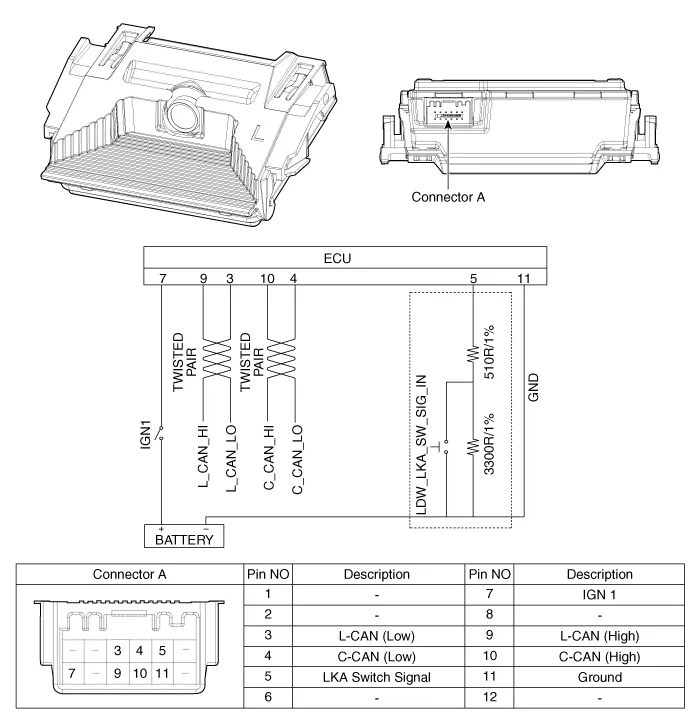
Schematic diagrams
| Circuit Diagram |
Repair procedures
| Removal |
| 1. | Disconnect the negative (-) battery terminal. |
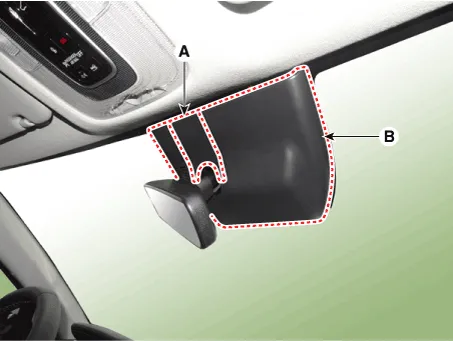
| 2. | Remove the cover (A) & (B).
|
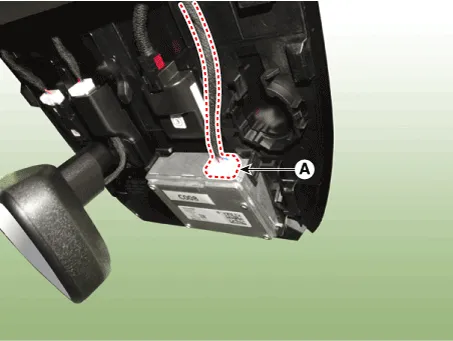
| 3. | Disconnect the front view camera unit connector (A).
|
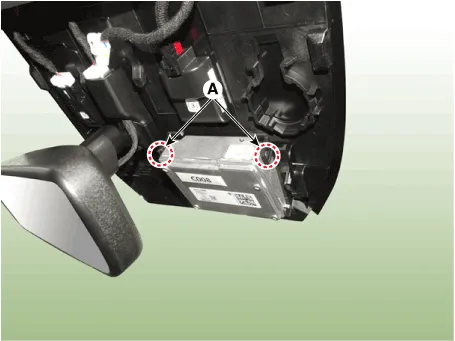
| 4. | Separate the fixed points (A) of coupler.
|
| 5. | Remove the front view camera (A).
|
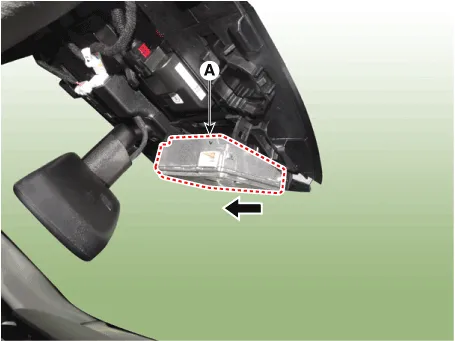
| Installation |
|

| 1. | Install in the reverse order of removal. |
| 2. | When if replacing the front view camera with a new one, perform the "Variant Coding" procedure by using the Diagnostic Tools.
|
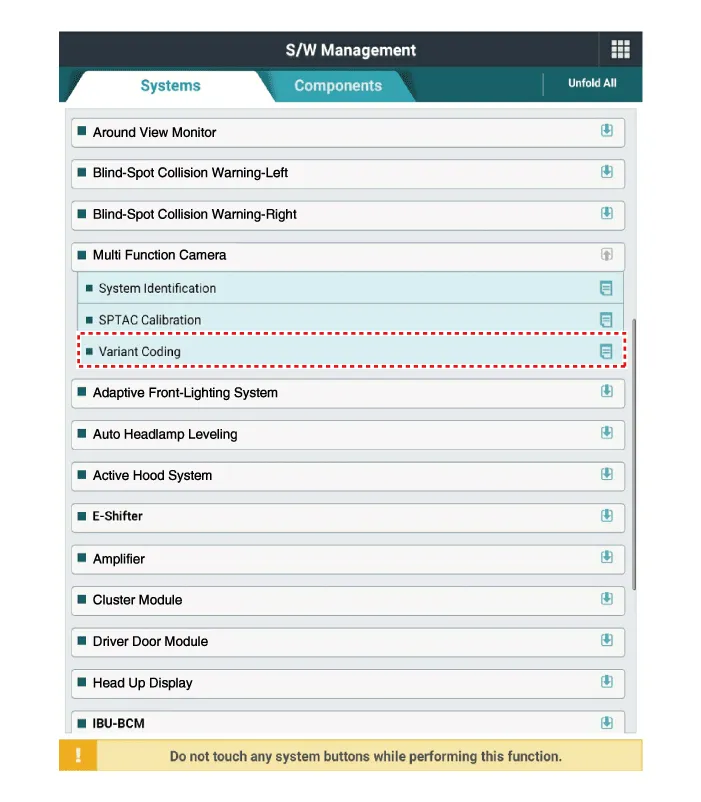
| 3. | Perform the front view camera unit calibration. (Refer to Repair procedures - "Service Point Target Auto Calibration (SPTAC)") |
Variant Coding When you need variant coding:– Replace Front View Camera with a new one※ EOL Variant Coding and calibration required for new replacementFront View Camera Variant CodingFront view camera variant coding makes it possible to operate functions for each vehicle type.
Other information:
Hyundai Elantra (CN7) 2021-2026 Service Manual: Antenna Coil
Repair procedures Removal1.Disconnect the negative (-) battery terminal.2.Remove the crash pad lower panel.(Refer to Body - "Crash Pad Lower Panel")3.Remove the steering column shroud panel.(Refer to Body - "Steering Column Shroud Panel")4.Disconnect the immobilizer connector (A) and press the locking pin (B) using an awl.
Hyundai Elantra (CN7) 2021-2026 Service Manual: Intake Actuator
Description and operation DescriptionThe intake actuator is located at the blower unit. It regulates the intake door by a signal from the control unit. Pressing the intake selection switch will shift between recirculation and fresh air modes. Components and components location Components Location1.
Categories
- Manuals Home
- Hyundai Elantra Owners Manual
- Hyundai Elantra Service Manual
- Maintenance
- Engine Mechanical System
- Troubleshooting
- New on site
- Most important about car
