
Hyundai Elantra (CN7): Lane Following Assist (LFA) / Function malfunction and limitations
Function malfunction
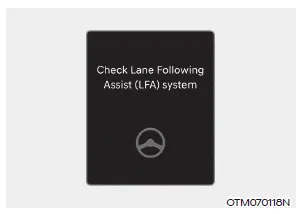
When Lane Following Assist is not working properly, the ‘Check Lane Following Assist (LFA) system’ warning message will appear on the cluster. If this occurs, we recommend that the function be inspected by an authorized HYUNDAI dealer.
WARNING
For more details on the system precautions, refer to “Lane Keeping Assist (LKA)� section in chapter 7.
Limitations of the function
For more details on function limitations, refer to “Lane Keeping Assist (LKA)� section in chapter 7.
Warning and control Lane Following Assist If the vehicle ahead and/or both lane markings are detected and your vehicle speed is below 112 mph (180 km/h), the green indicator light will illuminate on the cluster, and the function will help center the vehicle in the lane by assisting the steering wheel.
Setting functions for the system Highway Driving Assist With the engine on, select or deselect ‘Driver Assistance → Driving Assist’ from the Settings menu to set whether or not to use the following function(s).
Other information:
Hyundai Elantra (CN7) 2021-2026 Service Manual: License Lamps
Repair procedures Removal1.Disconnect the negative (-) battery terminal.2.Push the lock pin (B) and remove the license lamp (A).3.Disconnect the license lamp connector (A).4.Replace the bulb (A).Installation1.Connect the license lamp connector.2.Install the license lamp.
Hyundai Elantra (CN7) 2021-2026 Service Manual: Components and components location
C
Categories
- Manuals Home
- Hyundai Elantra Owners Manual
- Hyundai Elantra Service Manual
- Troubleshooting
- Instrument Cluster
- Instrument Panel Overview
- New on site
- Most important about car
