
Hyundai Elantra (CN7): Body (Interior and Exterior) / Hood
Repair procedures
| Adjustment |
| 1. | After loosening the hinge (A) mounting bolt, adjust the hood (B) by moving it up and down or from side to side and tighten the bolt. |
| 2. | Adjust the hood height by moving the hood overslam bumpers (C) up and down. |
| 3. | After loosening the hood latch (D) mounting bolts, adjust the latch by moving it up and down or from side to side.
|
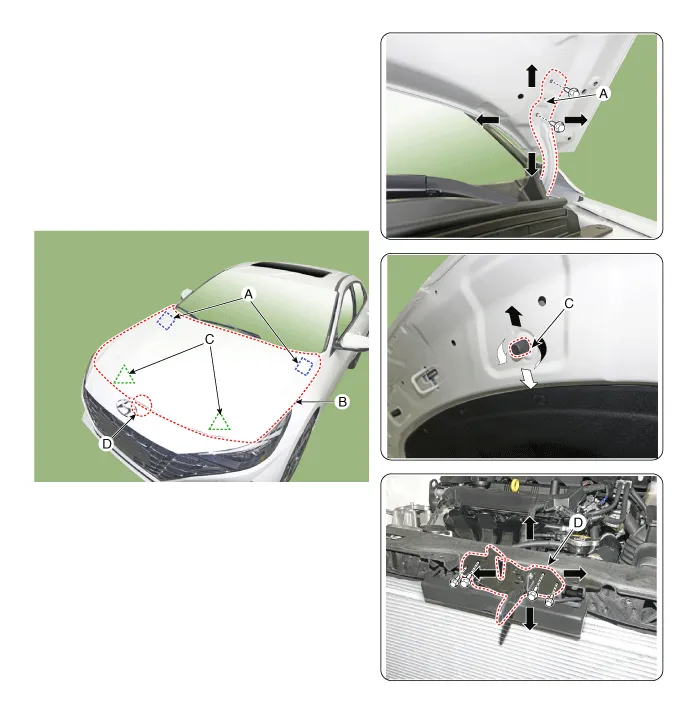
Hood Assembly
Components and components location
| Component Location |

| 1. Hood assembly |
Repair procedures
| Replacement |
|

|

| 1. | After loosening the hood hinge (A) mounting bolts, remove the hood assembly (B).
|
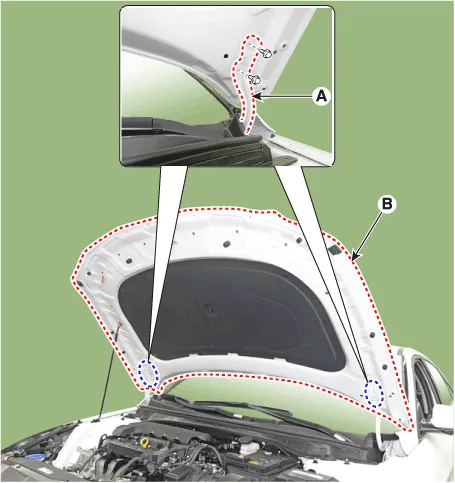
| 2. | To install, reverse the removal procedure.
|
Hood Insulator Pad
Repair procedures
| Replacement |
|
| 1. | Using a clip remover, remove the clips and then the hood insulator pad (A).
|

| 2. | To install, reverse the removal procedure.
|
Hood Latch Release Handle
Components and components location
| Component Location |
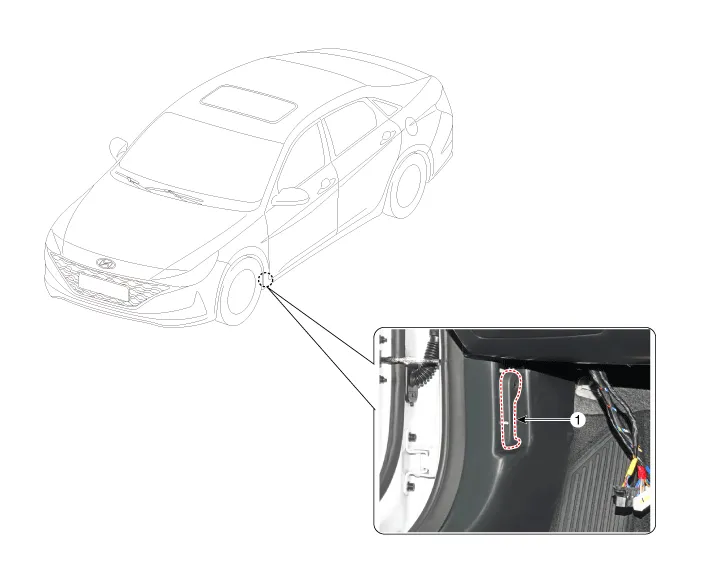
| 1. Hood latch release handle |
Repair procedures
| Replacement |
| 1. | Using screw driver or remover, remove the hood release handle (A).
|
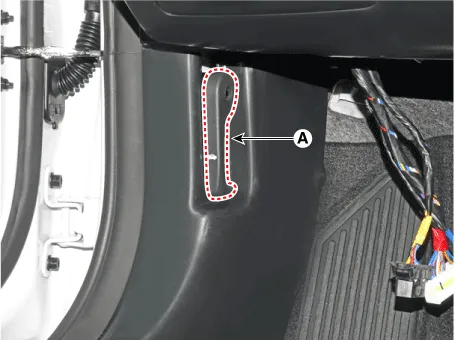
| 2. | To install, reverse the removal procedure.
|
Hood Latch
Components and components location
| Component Location |

| 1. Hood latch assembly |
Repair procedures
| Replacement |
| 1. | Remove the front bumper. (Refer to Front Bumper - "Front Bumper Assembly") |
| 2. | Disconnect the connector (A), then remove the wiring mounting clips.
|

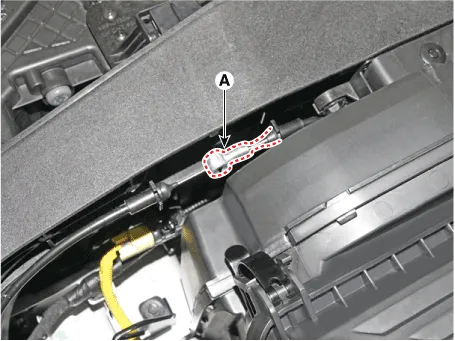
| 3. | Disconnect the hood latch release cable (A).
|
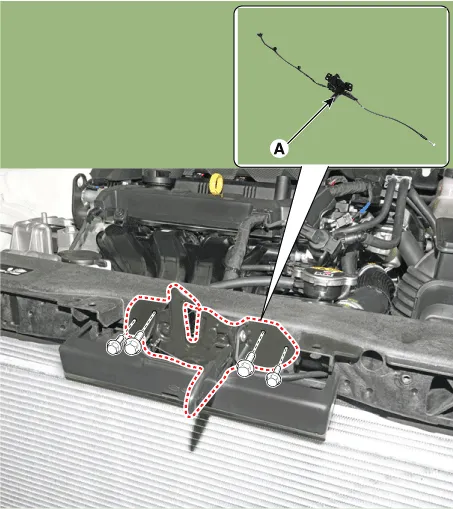
| 4. | Loosen the mounting bolts and remove the hood latch assembly (A).
|
| 5. | To install, reverse the removal procedure.
|
Hood Weatherstrip
Repair procedures
| Replacement |
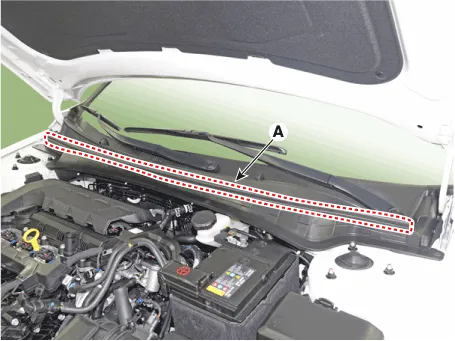
| 1. | Remove the hood weatherstrip (A).
|
| 2. | To install, reverse the removal procedure. |
Components and components location Component Location1. Fender assembly Repair procedures Replacement • When removing the fender, wrap protective tape around a screwdriver or remover not to damage components• Put on gloves to prevent hand injuries1.
Other information:
Hyundai Elantra (CN7) 2021-2026 Service Manual: Intake Actuator
Description and operation DescriptionThe intake actuator is located at the blower unit. It regulates the intake door by a signal from the control unit. Pressing the intake selection switch will shift between recirculation and fresh air modes. Components and components location Components Location1.
Hyundai Elantra (CN7) 2021-2026 Service Manual: Heater & A/C Control Unit (DATC)
Components and components location Components[This illustration shows the LHD type. RHD type is symmetrical.][Connector A] Pin No Function Pin No Function 1Battery9IGN22ILL+ (TAIL)10ISG Battery (+)3-11IGN14LIN BUS12HTD5-13-6-14-7-15-8RHEO (
Categories
- Manuals Home
- Hyundai Elantra Owners Manual
- Hyundai Elantra Service Manual
- Drive Mode
- Specifications
- Front Radar Unit
- New on site
- Most important about car
