
Hyundai Elantra (CN7): Crash Pad / Crash Pad Side Cover
Components and components location
| Component Location |
| [This illustration shows the LHD type. RHD type is symmetrical.] |
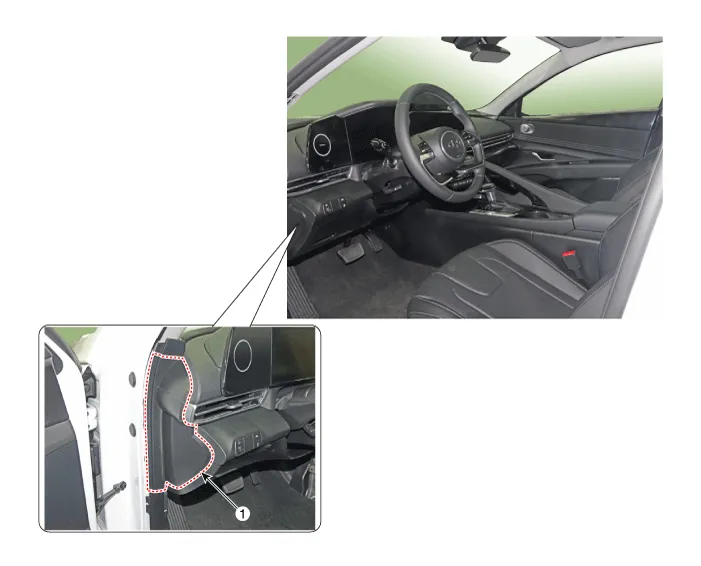
| 1. Crash pad side cover [LH] |
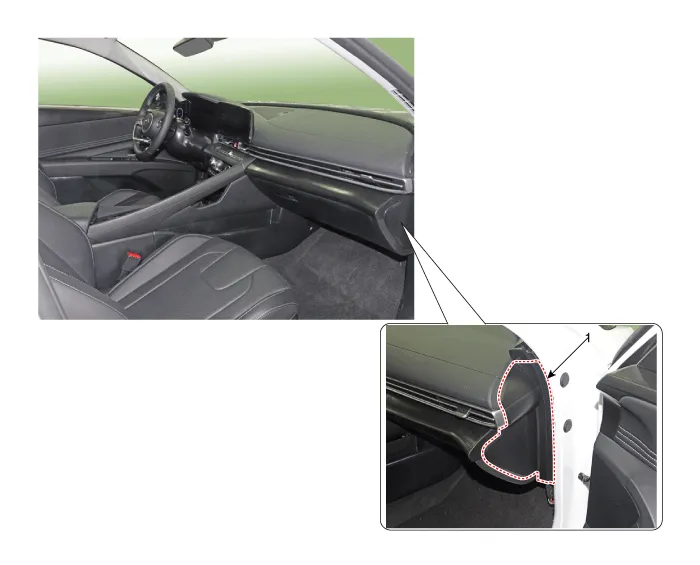
| 1. Crash pad side cover [RH] |
Repair procedures
| Replacement |
|

|

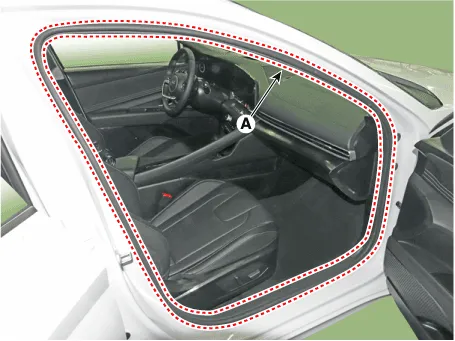
| 1. | Detach the clips, then remove the front door body side weatherstrip (A). [LH]
[RH]
|

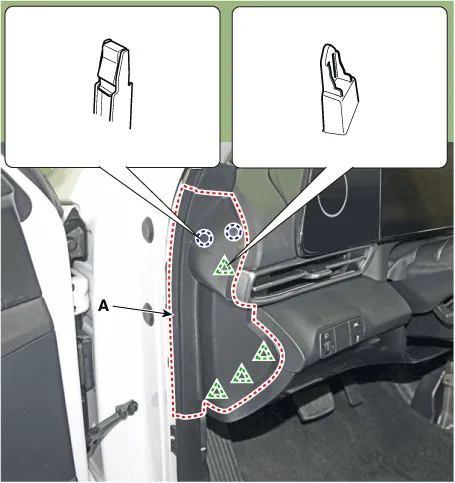
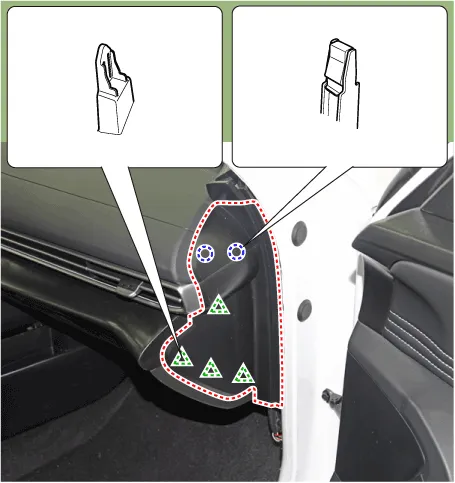
| 2. | Using a screwdriver or remover, remove the crash pad side cover (A). [LH]
[RH]
|
| 3. | To install, reverse the removal procedure.
|

Components and components location Component Location [This illustration shows the LHD type. RHD type is symmetrical.]1. Crash pad air vent [LH]2. Crash pad air vent [RH] Repair procedures Replacement[LH] • When removing with a flat - tip screwdriver or remover, wrap protective tape around the tools to prevent damage to components.
Components and components location Component Location [This illustration shows the LHD type. RHD type is symmetrical.]1. Crash pad center panel Repair procedures Replacement • When removing with a flat - tip screwdriver or remover, wrap protective tape around the tools to prevent damage to components.
Other information:
Hyundai Elantra (CN7) 2021-2026 Service Manual: Description and operation
DescriptionThe immobilizer system will disable the vehicle unless the proper ignition key is used, in addition to the currently available anti-theft systems such as car alarms, the immobilizer system aims to drastically reduce the rate of auto theft.1.
Hyundai Elantra (CN7) 2021-2026 Service Manual: Temperature Control Actuator
Description and operation DescriptionThe temperature control actuator is located at the heater unit. It regulates the temperature by the procedure as follows. The signal from the control unit adjusts the position of the temperature door by operating the temperature switch.
Categories
- Manuals Home
- Hyundai Elantra Owners Manual
- Hyundai Elantra Service Manual
- Driver assistance system
- Specifications
- Body Electrical System
- New on site
- Most important about car
