
Hyundai Elantra (CN7): Crash Pad / Crash Pad Air Vent
Components and components location
| Component Location |
| [This illustration shows the LHD type. RHD type is symmetrical.] |
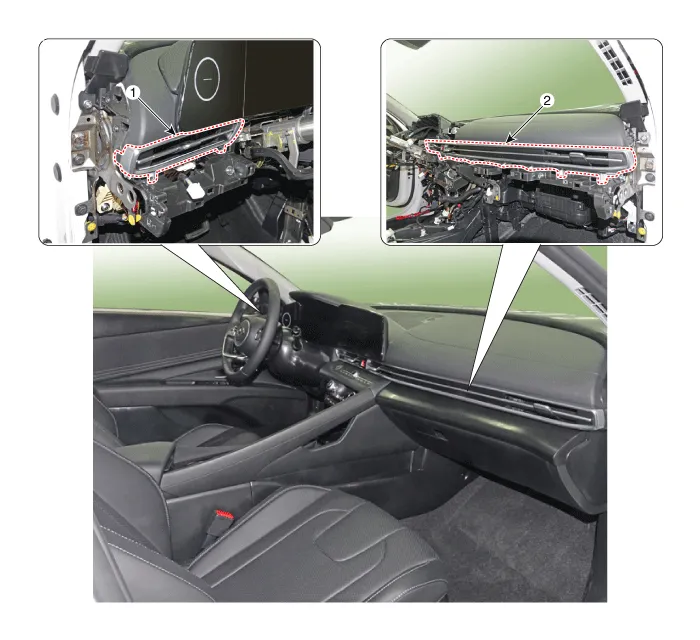
| 1. Crash pad air vent [LH] | 2. Crash pad air vent [RH] |
Repair procedures
| Replacement |
|

|

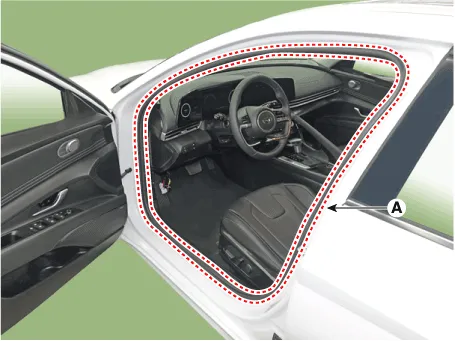
| 1. | Detach the clips, then remove the front door body side weatherstrip (A).
|
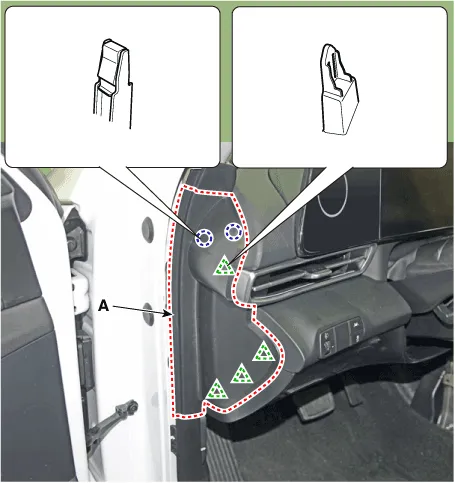
| 2. | Using a screwdriver or remover, remove the crash pad side cover (A).
|
| 3. | Remove the crash pad garnish [LH]. (Refer to Crash Pad - "Crash Pad Garnish") |
| 4. | Loosen the mounting screw, remove the crash pad air vent (A).
|
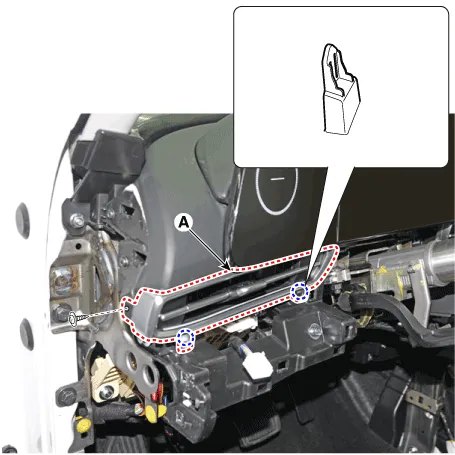
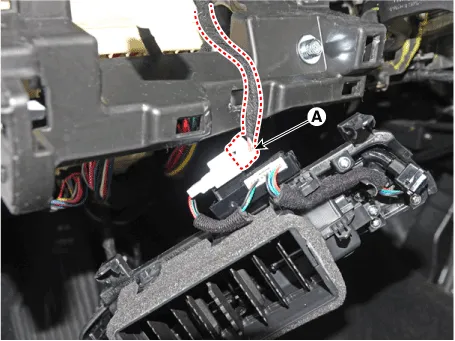
| 5. | Press the lock pin, separate the mood lamp connector (A).
|
| 6. | To install, reverse the removal procedure.
|

|
|
| 1. | Remove the instrument cluster. (Refer to Body Electrical System - "Instrument Cluster") |
| 2. | Remove the crash pad lower panel. (Refer to Crash Pad - "Crash Pad Lower Panel") |
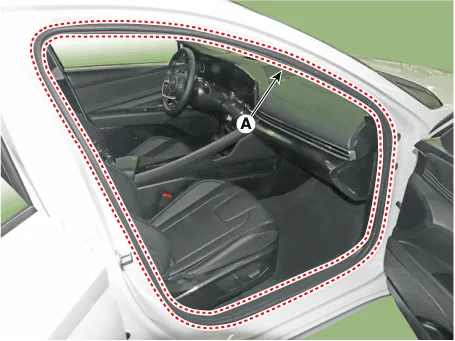
| 3. | Detach the clips, then remove the front door body side weatherstrip (A).
|
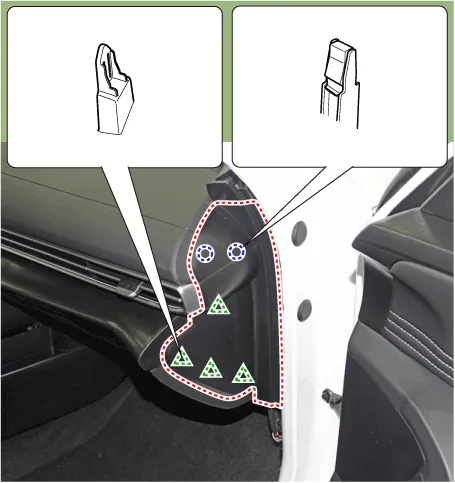
| 4. | Using a screwdriver or remover, remove the crash pad side cover (A).
|
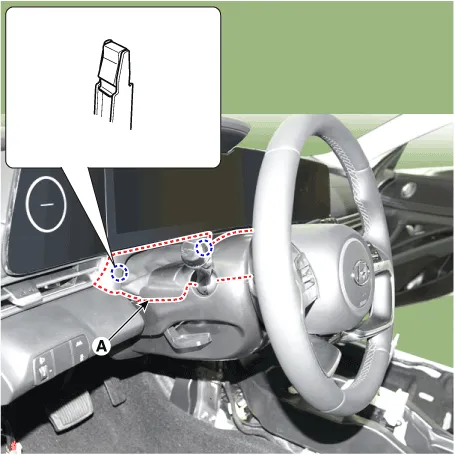
| 5. | Using a screwdriver or remover, remove the steering column shroud upper panel (A).
|
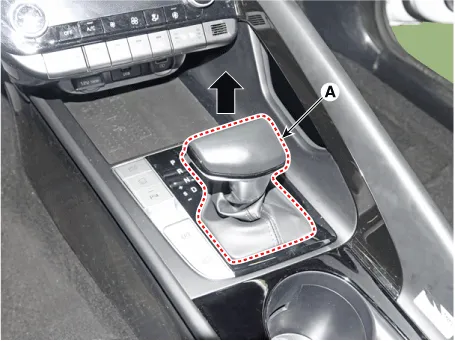
| 6. | To remove the gear knob & gear boots (A) pull both of it up.
|
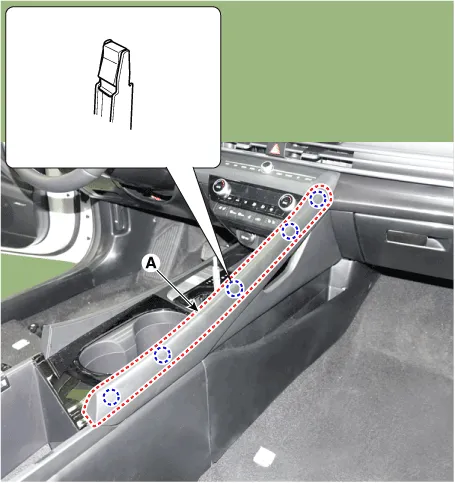
| 7. | Using a screwdriver or remover, remove the floor console side garnish (A).
|
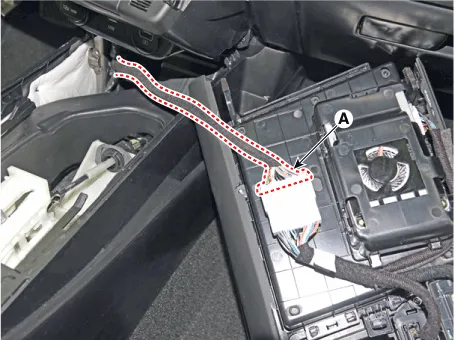
| 8. | After loosening the mounting screw and then using a screwdriver or remover, remove the console upper cover (A).
|

| 9. | Press the lock pin separate the console upper cover connector (A).
|
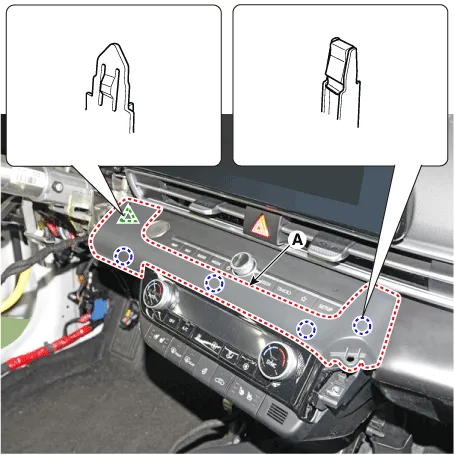
| 10. | Using a screwdriver or remover, remove the crash pad garnish [CTR] (A).
|
| 11. | Loosen the mounting screws, remove the A/C & heater controller unit (A).
|
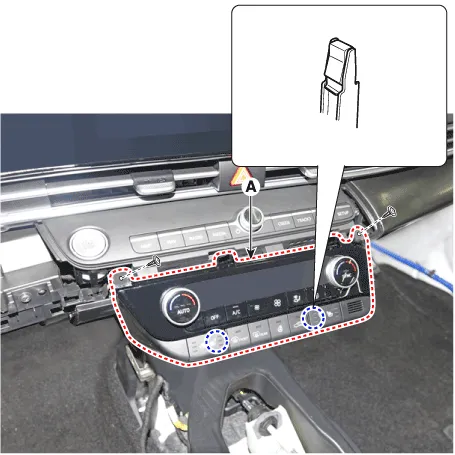
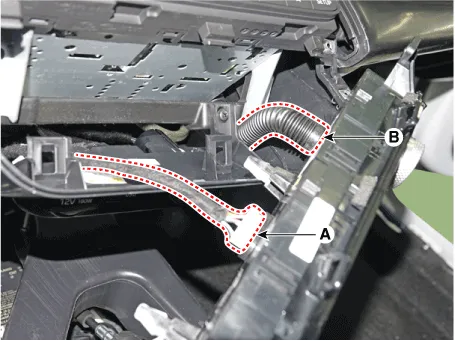
| 12. | Disconnect the A/C & heater controller connectors (A) and hose (B).
|
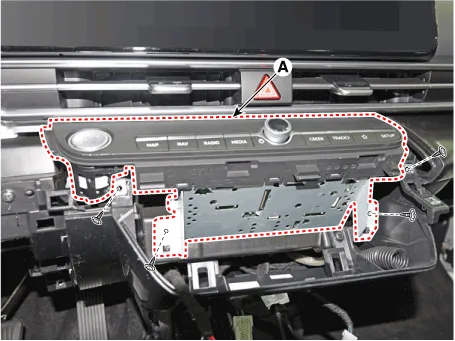
| 13. | Loosen the mounting screws, remove the AVN keyboard assembly (A).
|
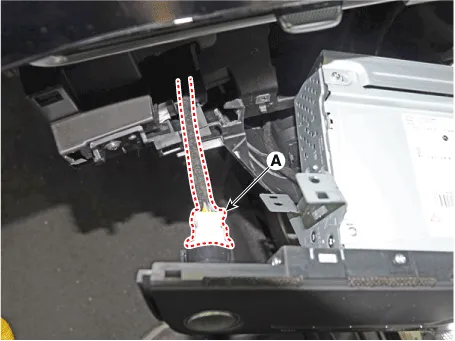
| 14. | Press the lock pin, separate the start button connector (A).
|
| 15. | Press the lock pin, separate the connectors (A).
|
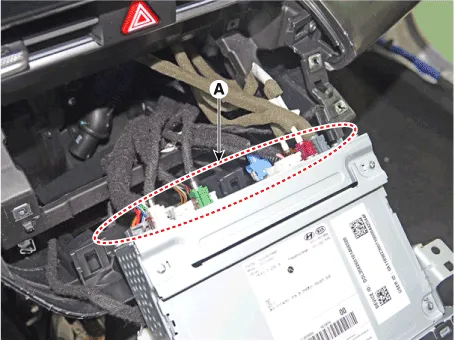
| 16. | Loosening the mounting screws, using a screwdriver or remover, remove the crash pad garnish (A).
|
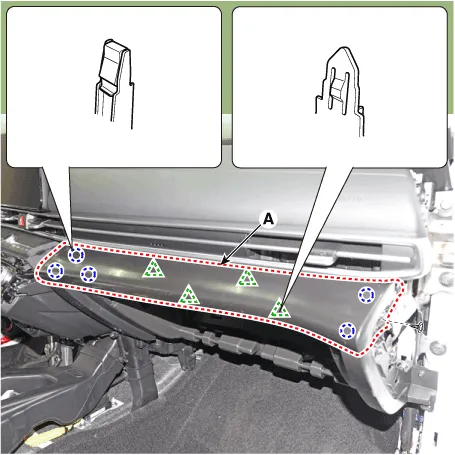
| 17. | Loosen the mounting screw, remove the crash pad air vent (A).
|
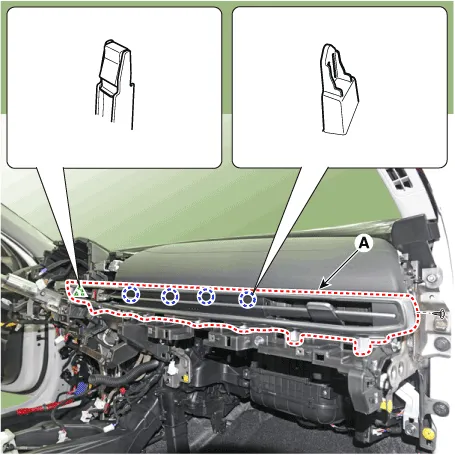
| 18. | Press the lock pin, separate the hazard switch connector (A).
|
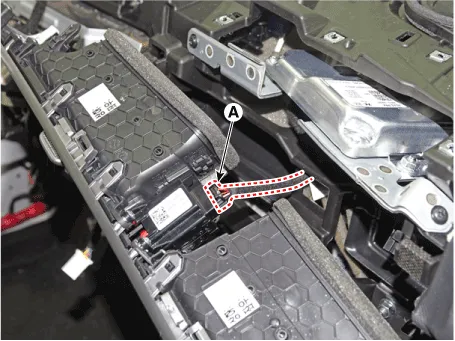
| 19. | Press the lock pin, separate the connectors (A).
|
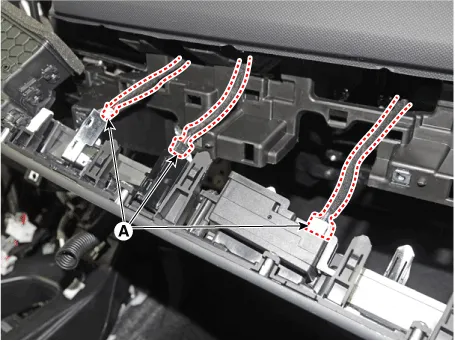
| 20. | To install, reverse the removal procedure.
|
Components and components location Component Location [This illustration shows the LHD type. RHD type is symmetrical.]1. Steering column shroud upper panel2.
Components and components location Component Location [This illustration shows the LHD type. RHD type is symmetrical.][LH]1. Crash pad side cover [LH][RH]1.
Other information:
Hyundai Elantra (CN7) 2021-2026 Service Manual: Turn Signal Lamp
Repair procedures Removal1.Disconnect the negative (-) battery terminal.2.Remove the front bumper.(Refer to Body - "Front Bumper Cover")3.Remove the head lamp.4.Remove the bulb socket (A) and turn signal lamp bulb (B) from the lamp assembly.Replacement1.
Hyundai Elantra (CN7) 2021-2026 Service Manual: Description and operation
DescriptionSystem OverviewThe System offers the following features:– Human / machine interface through a 1-stage button, for terminal switching and engine start.– Control of external relays for ACC / IGN1 / IGN2 terminal switching and STARTER, without use of mechanical ignition switch.
Categories
- Manuals Home
- Hyundai Elantra Owners Manual
- Hyundai Elantra Service Manual
- Engine Mechanical System
- Body (Interior and Exterior)
- Body Electrical System
- New on site
- Most important about car
