
Hyundai Elantra (CN7): Crash Pad / Glove Box
Components and components location
| Components Location |
| [This illustration shows the LHD type. RHD type is symmetrical.] |
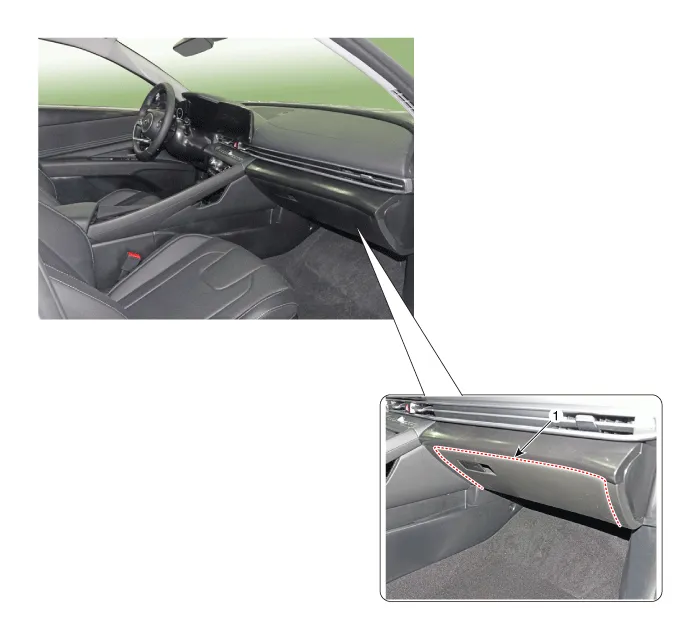
| 1. Glove box |
Repair procedures
| Replacement |
|

|

| 1. | Open the glove box (A).
|
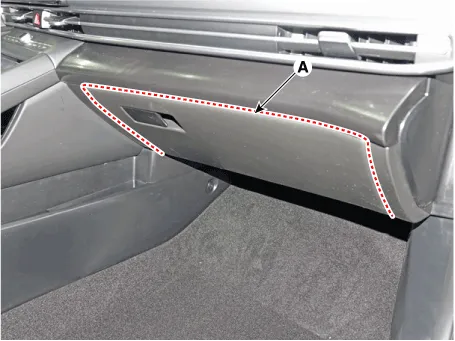
| 2. | Press the side of the glove box and remove the glove box (A).
|

| 3. | Install in the reverse order of removal.
|

Components and components location Component Location [This illustration shows the LHD type. RHD type is symmetrical.]1. Crash pad lower panel Repair procedures Replacement • When removing with a flat - tip screwdriver or remover, wrap protective tape around the tools to prevent damage to components.
Components and components location Component Location [This illustration shows the LHD type. RHD type is symmetrical.]1. Glove box housing cover Repair procedures Replacement • When removing with a flat - tip screwdriver or remover, wrap protective tape around the tools to prevent damage to components.
Other information:
Hyundai Elantra (CN7) 2021-2026 Service Manual: Immobilizer Control Unit
Components and components location Components (1)With Smart KeyConnector Pin Information Pin no Connector A Connector B Connector C Connector D Connector E 1ESCL
Hyundai Elantra (CN7) 2021-2026 Service Manual: Components and components location
C
Categories
- Manuals Home
- Hyundai Elantra Owners Manual
- Hyundai Elantra Service Manual
- Specifications
- Engine Mechanical System
- Brake bleeding procedures
- New on site
- Most important about car
