
Hyundai Elantra (CN7): Crash Pad / Crash Pad Lower Panel
Components and components location
| Component Location |
| [This illustration shows the LHD type. RHD type is symmetrical.] |
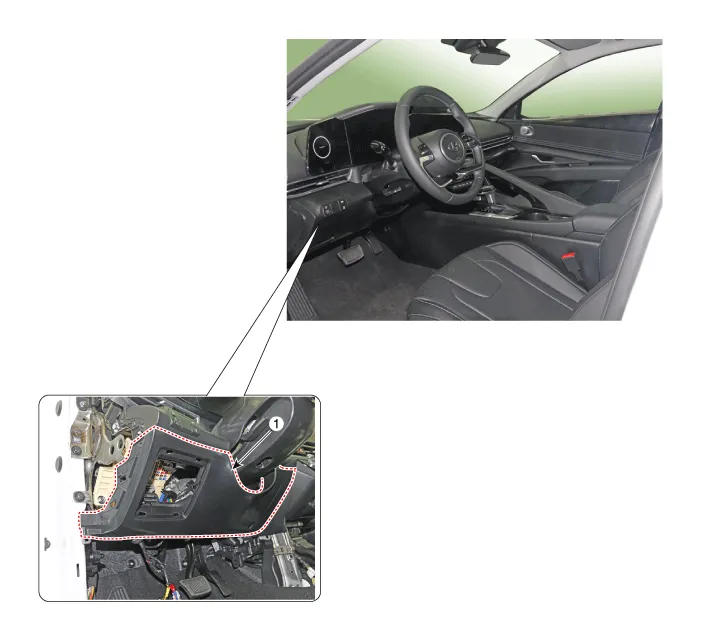
| 1. Crash pad lower panel |
Repair procedures
| Replacement |
|

|

| 1. | Remove the cowl side trim. (Refer to Interior Trim - "Cowl Side Trim") |
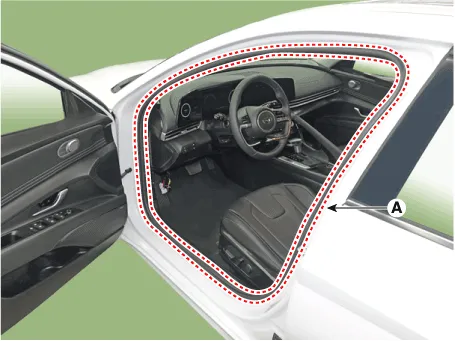
| 2. | Detach the clips, then remove the front door body side weatherstrip (A).
|
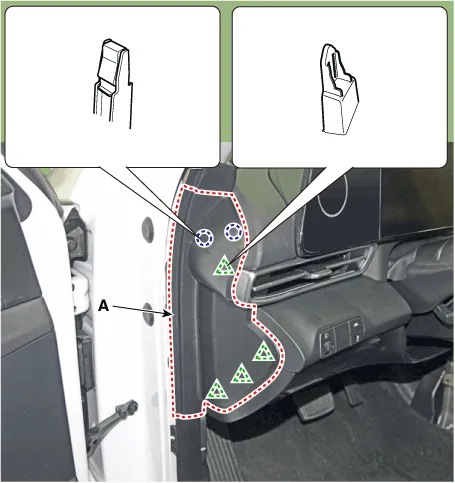
| 3. | Using a screwdriver or remover, remove the crash pad side cover [LH] (A).
|
| 4. | Loosen the mounting screws and remove the crash pad lower panel (A).
|
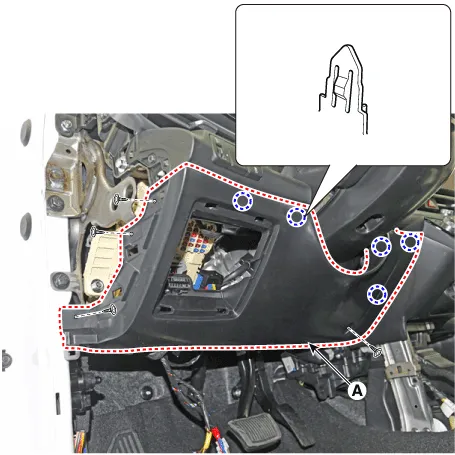
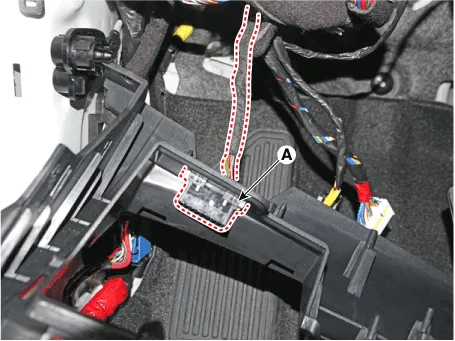
| 5. | Press the lock pin, separate diagnosis connector (A).
|
| 6. | To install, reverse the removal procedure.
|

Components and components location Components Location[This illustration shows the LHD type. RHD type is symmetrical.]1. Crash pad garnish [LH]3. Crash pad garnish [CTR]2.
Components and components location Components Location[This illustration shows the LHD type. RHD type is symmetrical.]1. Glove box Repair procedures Replacement • When removing with a flat - tip screwdriver or remover, wrap protective tape around the tools to prevent damage to components.
Other information:
Hyundai Elantra (CN7) 2021-2026 Service Manual: Wireless Power Charging Unit
Components and positions Components Circuit diagram Circuit Diagram Repair procedures Removal • Handling wireless charging system parts by wet hands may cause electric shock. 1.Disconnect the negative (-) battery terminal.
Hyundai Elantra (CN7) 2021-2026 Service Manual: Receiver-Drier
Repair procedures Replacement1.Remove the condenser.2.Remove the cap (A) on the bottom of the condenser with a L wrench. Tightening torque : 9.81 - 14.71 N.m (1.0 - 1.5 kgf.m, 7.2 - 10.8 lb-ft) 3.Remove the receiver-drier (A) from condenser using a long nose plier.
Categories
- Manuals Home
- Hyundai Elantra Owners Manual
- Hyundai Elantra Service Manual
- Rear Seats
- Troubleshooting
- Front Radar Unit
- New on site
- Most important about car
