
Hyundai Elantra (CN7): Infotainment System / Voice recognition
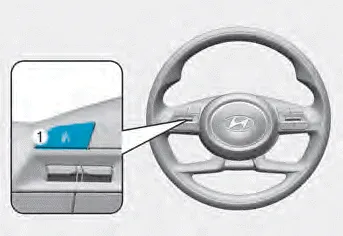
A wide range of infotainment functions can be commanded with voice recognition.
The steering wheel audio control switches are installed for your convenience. NOTICE Do not operate audio remote control buttons simultaneously. VOLUME (VOL + / VOL -) (1) Move the VOLUME toggle switch up to increase volume.
You can use the phone wirelessly by using the Bluetooth® Wireless Technology. (1) Call / Answer button (2) Call end button (3) LHD Microphone (4) RHD Microphone Audio : For detailed information, refer to “AUDIO� in this chapter.
Other information:
Hyundai Elantra (CN7) 2021-2026 Service Manual: Temperature Control Actuator
Description and operation DescriptionThe temperature control actuator is located at the heater unit. It regulates the temperature by the procedure as follows. The signal from the control unit adjusts the position of the temperature door by operating the temperature switch.
Hyundai Elantra (CN7) 2021-2026 Service Manual: Parking Distance Warning (PDW)
Description and operation Description• PDW consists of 8 sensors (front : 4 units, rear : 4 units) that are used to detect obstacles and transmit the result in three separate warning levels, the first, second and third to IBU via LIN communication.
Categories
- Manuals Home
- Hyundai Elantra Owners Manual
- Hyundai Elantra Service Manual
- Body (Interior and Exterior)
- Integrated Thermal Management Module (ITM)
- Fuse/Relay Panel Description. Engine compartment fuse panel
- New on site
- Most important about car
