
Hyundai Elantra (CN7): Interior Trim / Cowl Side Trim
Components and components location
| Component Location |
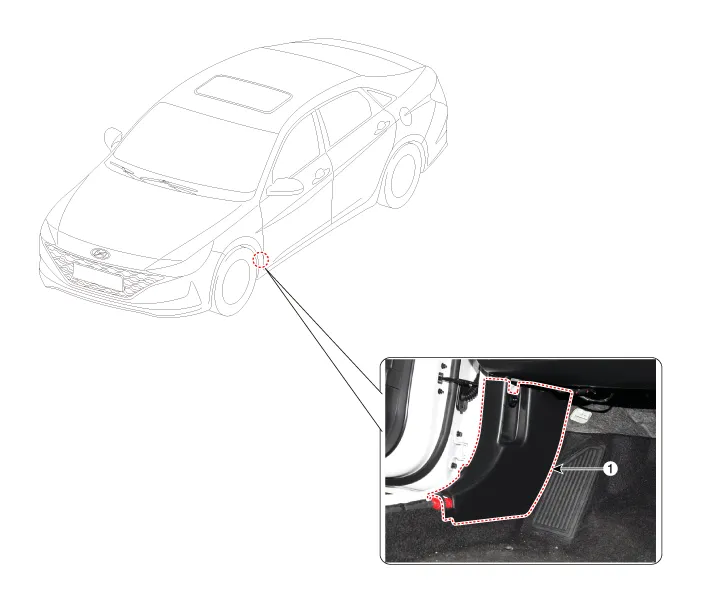
| 1. Cowl side trim |
Repair procedures
| Replacement |
|

|

| 1. | Remove the front door scuff trim. (Refer to Interior Trim - "Door Scuff Trim") |
| 2. | Remove the hood latch release handle. (Refer to Hood - "Hood Latch Release Handle") |
| 3. | Remove the front door body side weatherstrip. (Refer to Front Door - "Front Door Side Weatherstrip") |
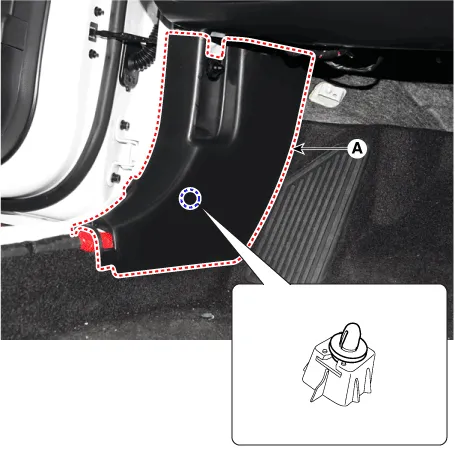
| 4. | Using a screwdriver or remover, remove the cowl side trim (A).
|
| 5. | To install, reverse the removal procedure.
|

Components and components location Component Location 1. Front door scuff trim2. Rear door scuff trim Repair procedures Replacement[Front door scuff trim] • When removing with a flat - tip screwdriver or remover, wrap protective tape around the tools to prevent damage to components.
Components and components location Component Location 1. Front pillar trim Repair procedures Replacement • When removing with a flat - tip screwdriver or remover, wrap protective tape around the tools to prevent damage to components.
Other information:
Hyundai Elantra (CN7) 2021-2026 Service Manual: Description and operating principle
Description and OperationWireless Power Charger SystemDuring ACC or IG ON, battery voltage is supplied to the wireless power charger system to transmit an output of 5 W to mobile phone. Mobile phones certified with the wireless charging standard WPC (Qi 1.
Hyundai Elantra (CN7) 2021-2026 Service Manual: Auto Defoging Actuator
Description and operation DescriptionThe auto defogging sensor is installed on front window glass. The sensor judges and sends signal if moisture occurs to blow out wind for defogging. The air conditioner control module receives a signal from the sensor and restrains moisture and eliminates defog by the intake actuator, A/C, auto defogging actua
Categories
- Manuals Home
- Hyundai Elantra Owners Manual
- Hyundai Elantra Service Manual
- Driver assistance system
- Rear Seats
- Brake bleeding procedures
- New on site
- Most important about car
