
Hyundai Elantra (CN7): Front Door / Front Door Outside Handle
Hyundai Elantra (CN7) 2021-2026 Service Manual / Body (Interior and Exterior) / Front Door / Front Door Outside Handle
Components and components location
| Component Location |
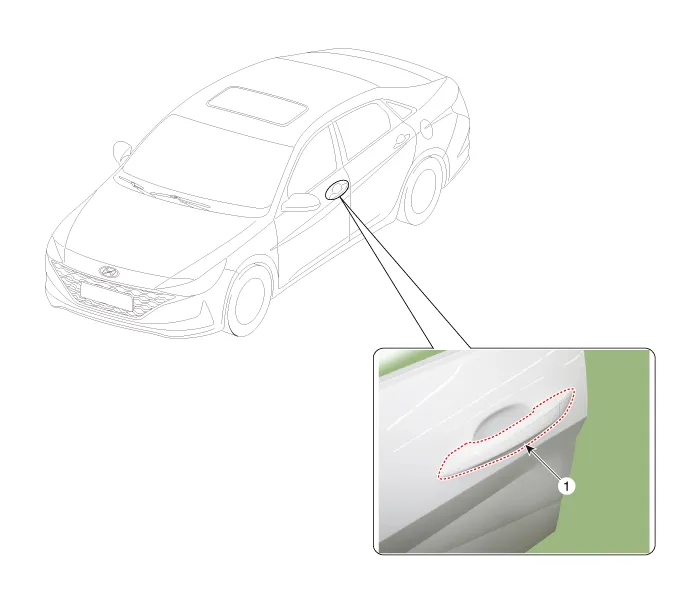
| 1. Front door outside handle |
Repair procedures
| Replacement |
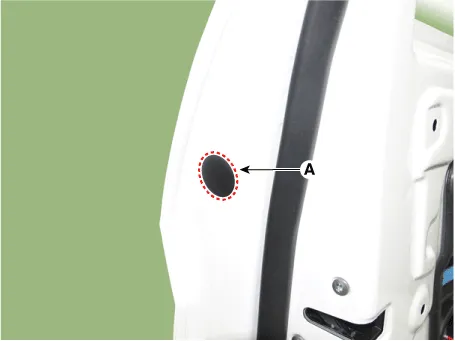
| 1. | Remove the plug hole (A).
|
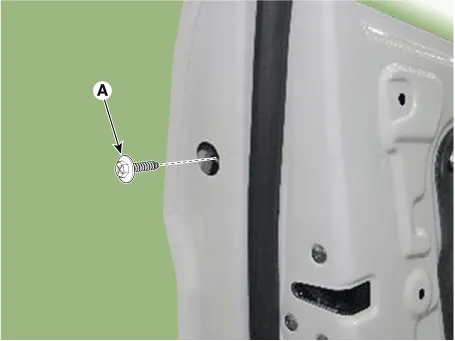
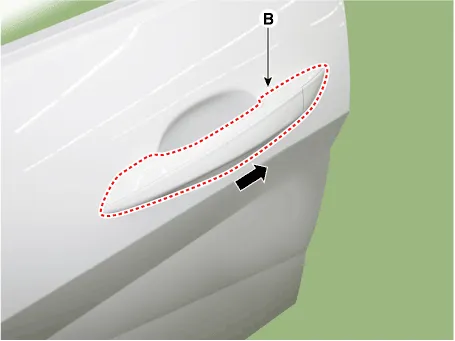
| 2. | Loosen the mounting screw (A) and then remove the front door outside handle (B) by sliding it forward.
|
| 3. | Remove the front door lock assembly (A).
|
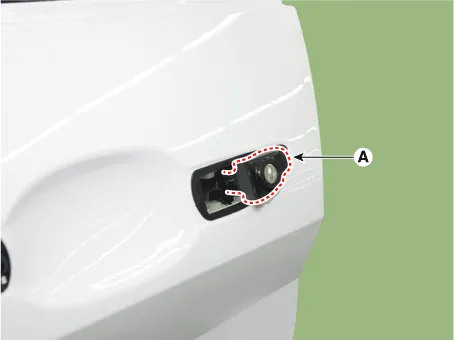
| 4. | Disconnect the front door outside handle connector (A).
|
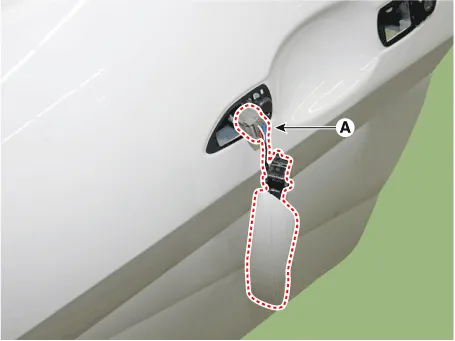
| 5. | To install, reverse the removal procedure.
|

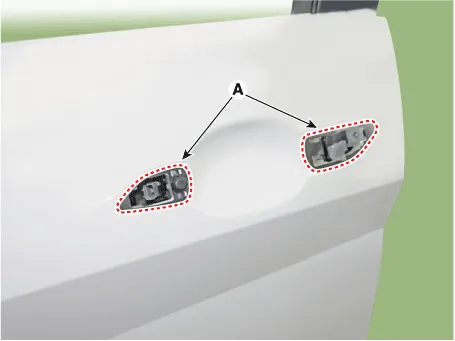
Components and components location Component Location 1. Front door module Repair procedures Replacement1.Remove the front door window glass.
Repair procedures Replacement1.Remove the outside rear view mirror.(Refer to Mirror - "Outside Rear View Mirror")2.Pull down the front door window glass to the lowest level by pressing the power window glass switch.
Other information:
Hyundai Elantra (CN7) 2021-2026 Service Manual: Components and positions
C
Hyundai Elantra (CN7) 2021-2026 Service Manual: Rear View Monitor (RVM)
Description and operation DescriptionRear view camera will activate when the backup light is ON with the ignition switch ON and the shift lever in the R position.This system is a supplemental system that shows behind the vehicle through the AV monitor or the ECM (Reverse Display Room Mirror) mirror while backing-up.
Categories
- Manuals Home
- Hyundai Elantra Owners Manual
- Hyundai Elantra Service Manual
- Integrated Thermal Management Module (ITM)
- Driver assistance system
- Brake bleeding procedures
- New on site
- Most important about car

Copyright © 2026 www.helantra7.com - 0.0197