
Hyundai Elantra (CN7): Infotainment System / Voice recognition
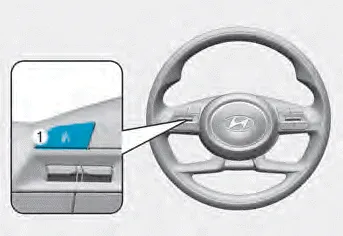
A wide range of infotainment functions can be commanded with voice recognition.
The steering wheel audio control switches are installed for your convenience. NOTICE Do not operate audio remote control buttons simultaneously. VOLUME (VOL + / VOL -) (1) Move the VOLUME toggle switch up to increase volume.
You can use the phone wirelessly by using the Bluetooth® Wireless Technology. (1) Call / Answer button (2) Call end button (3) LHD Microphone (4) RHD Microphone Audio : For detailed information, refer to “AUDIO� in this chapter.
Other information:
Hyundai Elantra (CN7) 2021-2026 Service Manual: Special service tools
Special Service Tools Tool Name / Number Illustration Description LKA Compensator(09890-3V100)Used for compensating front view camera unitBCW Sensor Correction Tool Set(09958-3T500)Used to correct the blind-spot radar unit.
Hyundai Elantra (CN7) 2021-2026 Service Manual: General safety information and caution
General Safety Information and Caution1.Be careful when driving the vehicle using the smart cruise control system as follows.(1)On curves or inclines/declines• The smart cruise control system may have limits to detect distance to the vehicle ahead due to road and traffic conditions.
Categories
- Manuals Home
- Hyundai Elantra Owners Manual
- Hyundai Elantra Service Manual
- Body (Interior and Exterior)
- Specifications
- Drive Mode
- New on site
- Most important about car
